
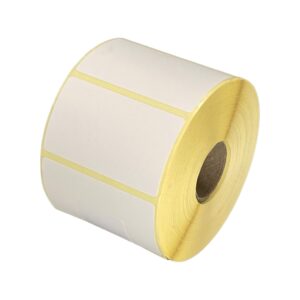
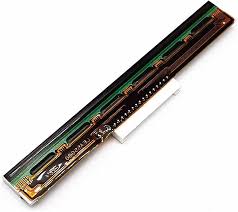

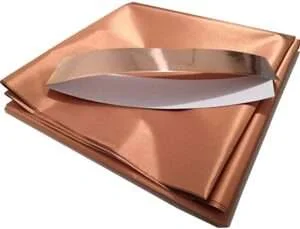
ID card printers sized to what you actually print in a year, with the ribbons and blank card stock they run on held in stock so a badge issue never stops for want of a consumable.
Card printers — every major brand from one counter
Zebra, HID FARGO, Entrust Datacard and Evolis, with the ribbons, blank card stock and spares all four of them consume. A card printer is cheap to buy and expensive to feed, so the useful thing we do is size the machine to your actual annual volume rather than to the brochure — and then keep the consumables in stock so a badge issue never stops for want of a ribbon. Every one of these brands is repaired on our own bench in New Delhi.
Card printer brands we sell, stock and service


Zebra card printers — The range most Indian ID programmes already run
Zebra builds the card printers most of India's ID programmes run on, and the ZC300 in particular is the machine we install more of than any other. The range runs from a small office badge printer to a retransfer machine for government credentials, and the field-upgradeable dual-sided module in the middle of it is why a school that starts single-sided is not buying a second printer three years later.
Zebra ZC100
ZC100
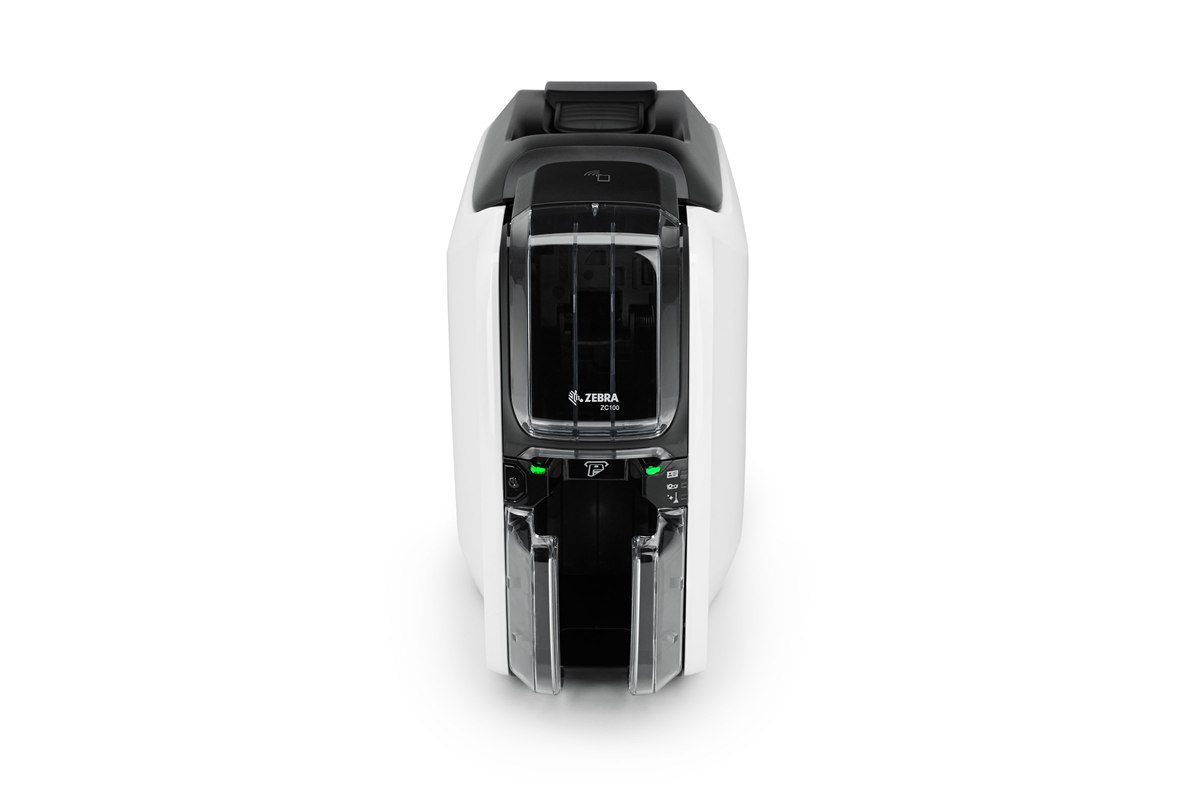
The right printer for a few hundred cards a year: a small office issuing staff badges, a clinic doing patient cards, a club doing memberships. Single-sided only and it cannot be upgraded to dual later, which is the one thing to be sure about before ordering — if the back of the card needs anything printed on it, buy the ZC300 instead.
Zebra ZC100 — sales, installation and in-house service from Mindware, New Delhi.
| Print method | Dye sublimation and thermal transfer, direct-to-card |
|---|---|
| Resolution | 300 dpi |
| Sides | Single-sided only — not upgradeable |
| Colour speed | Up to 150 full-colour cards per hour |
| Mono speed | Up to 700 monochrome cards per hour |
| Connectivity | USB standard; Ethernet optional |
| Encoding | Magnetic stripe encoding optional |
| Card feeder | Auto-adjusts to card thickness |
Zebra ZC300
ZC300
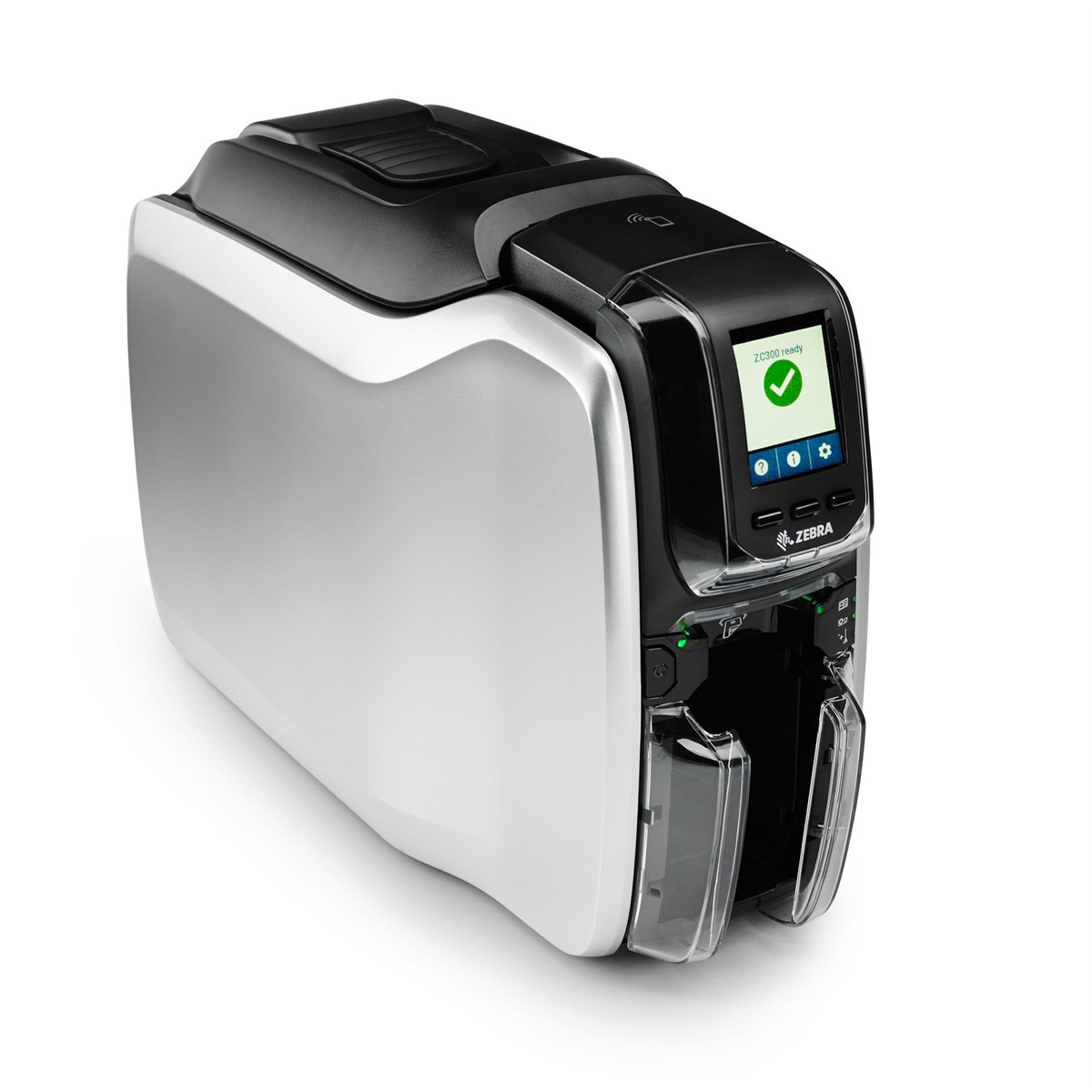
The card printer most Indian organisations end up on, and usually the correct answer. Three times the colour throughput of the ZC100, 100-card input and output hoppers so it runs a batch unattended, and a dual-sided flipper that can be fitted in the field later — so a school that starts single-sided in year one is not buying a second printer in year three.
Zebra ZC300 — sales, installation and in-house service from Mindware, New Delhi.
| Print method | Dye sublimation and thermal transfer, direct-to-card |
|---|---|
| Resolution | 300 dpi |
| Sides | Single-sided, with a field-upgradeable dual-sided flipper module |
| Colour speed | Up to 300 full-colour cards per hour, single-sided |
| Mono speed | Up to 900 monochrome cards per hour, single-sided |
| Dual-sided speed | Up to 140 YMCKOK cards per hour; up to 450 monochrome per hour |
| Hoppers | 100-card input and 100-card output |
| Connectivity | USB and Ethernet; wireless optional |
| Encoding | Magnetic stripe, contact and contactless smart card options |
Zebra ZC350
ZC350
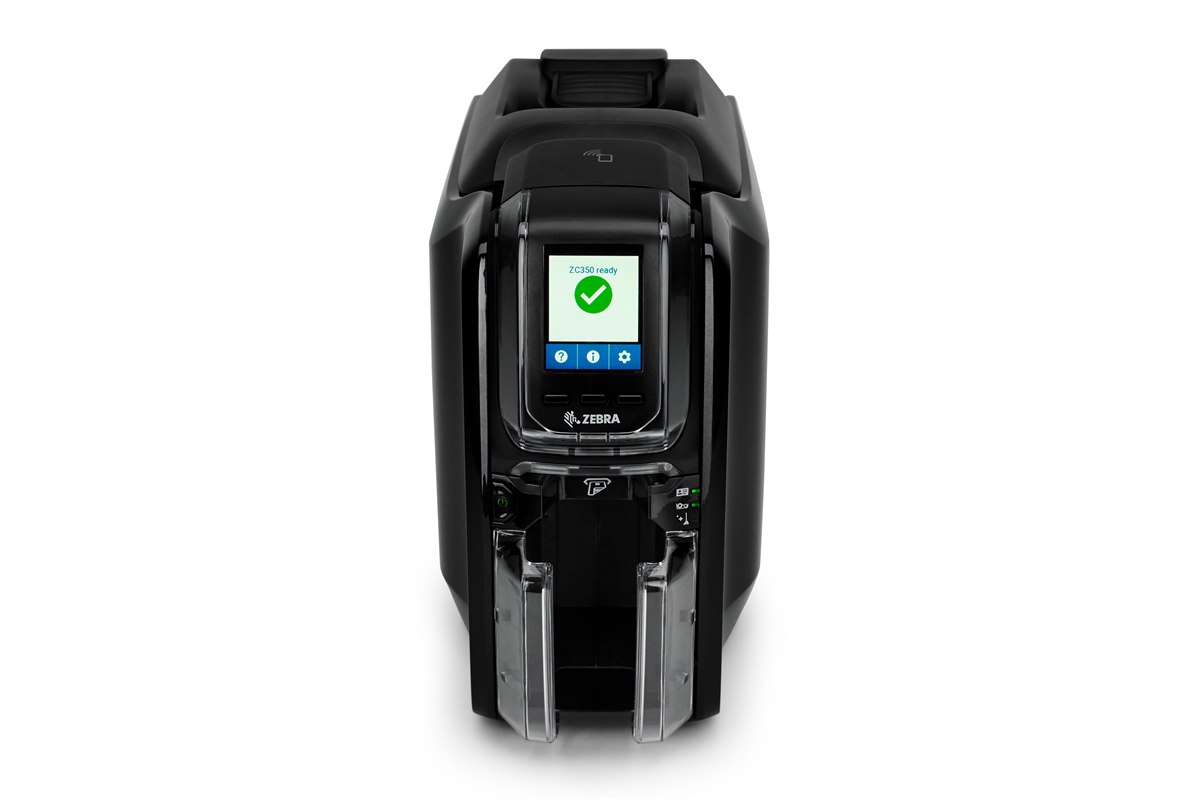
The ZC300 mechanism with access to Zebra's specialty ribbon range — colour-shifting graphics that change as the card is tilted, and watermarks that only appear under UV. If the card is a credential somebody has a reason to forge — a staff pass into a restricted area, a student ID that gets a fare concession — this is the printer that makes a copied one obvious at a glance.
Zebra ZC350 — sales, installation and in-house service from Mindware, New Delhi.
| Print method | Dye sublimation and thermal transfer, direct-to-card |
|---|---|
| Resolution | 300 dpi |
| Sides | Single-sided, with a field-upgradeable dual-sided flipper module |
| Security | Specialty ribbons — colour-shifting graphics and UV-visible watermarks |
| Hoppers | 100-card input and 100-card output |
| Connectivity | USB and Ethernet standard; wireless optional |
Zebra ZXP Series 7
ZXP Series 7
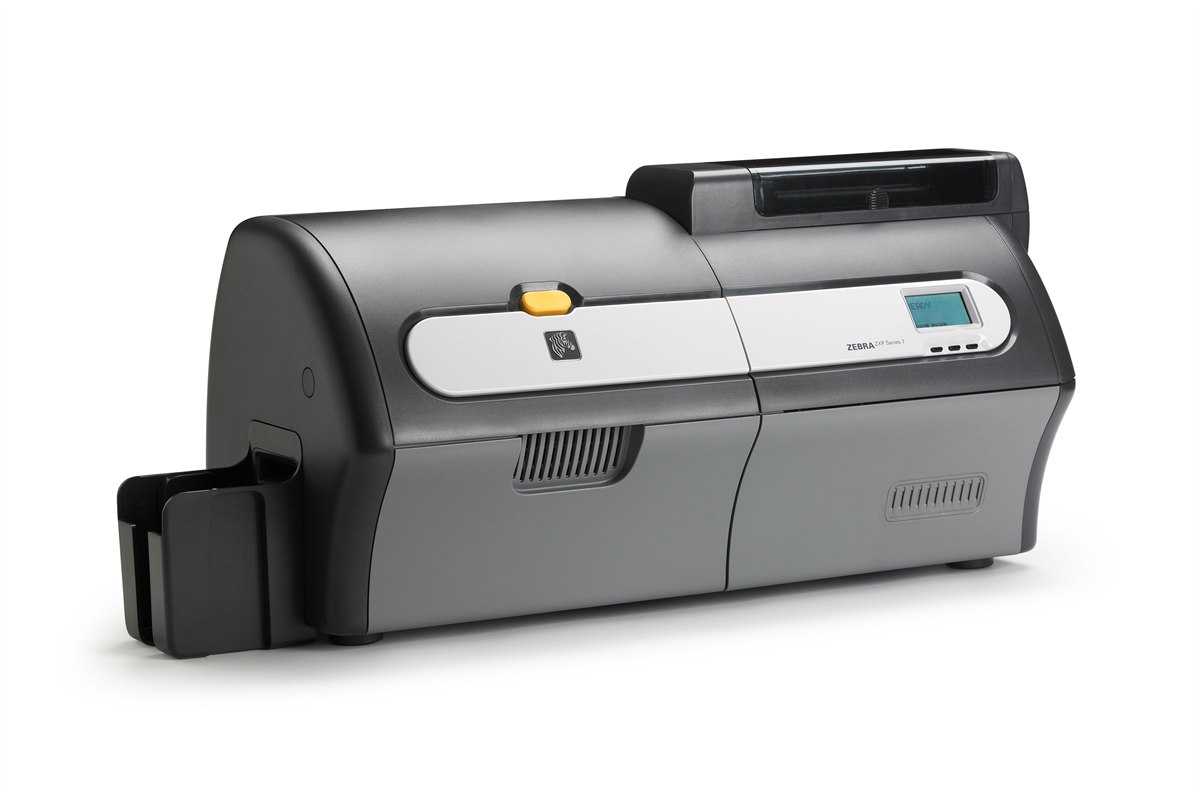
For an issuing bureau or a large institution running cards continuously. It processes up to three jobs at once — encoding one card, printing the next and laminating a third — which is what makes its throughput hold up over a long run rather than only on the spec sheet. Simultaneous dual-sided lamination is the reason to specify it: a laminated card survives a decade in a wallet.
Zebra ZXP Series 7 — sales, installation and in-house service from Mindware, New Delhi.
| Print method | Dye sublimation and thermal transfer, direct-to-card |
|---|---|
| Sides | Single or dual-sided |
| Lamination | Simultaneous dual-sided lamination |
| Throughput | Processes encoding, printing and laminating concurrently |
Zebra ZXP Series 9
ZXP Series 9
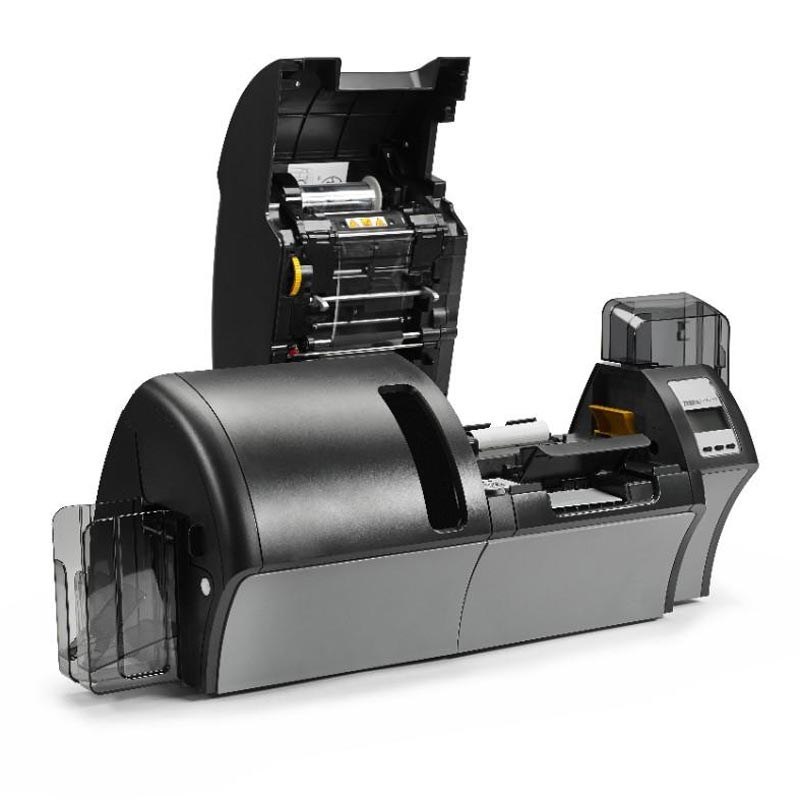
A retransfer printer, which is a different technology from everything above it: the image is printed onto film and the film is fused to the card, so it goes genuinely edge to edge with no white border, and it prints cleanly over the bumps of a contact smart card chip that would defeat a direct-to-card printer. 600 dpi is available. This is the machine for government, banking and high-security credentials.
Zebra ZXP Series 9 — sales, installation and in-house service from Mindware, New Delhi.
| Print method | Retransfer — image printed to film, then fused to the card |
|---|---|
| Resolution | 300 dpi or 600 dpi |
| Edge to edge | True edge-to-edge printing with no white border |
| Throughput | Up to 190 cards per hour |
| Sides | Dual-sided simultaneous retransfer — no mechanical card flip |
| Connectivity | USB and Ethernet standard; wireless optional |
| Best for | Smart cards, uneven card surfaces and high-security credentials |
HID FARGO card printers — What security integrators specify
FARGO is HID's card printer line, and HID is the company whose proximity and iCLASS credentials are already on the door in a great many Indian offices. That matters practically rather than as a brand story: if your access control is HID, a FARGO printer encodes those credentials natively instead of through a bolted-on module. The DTC range is direct-to-card; the HDP range is retransfer, and prints over a smart card chip without the dimple a direct-to-card machine leaves.
HID FARGO DTC1250e
DTC1250e
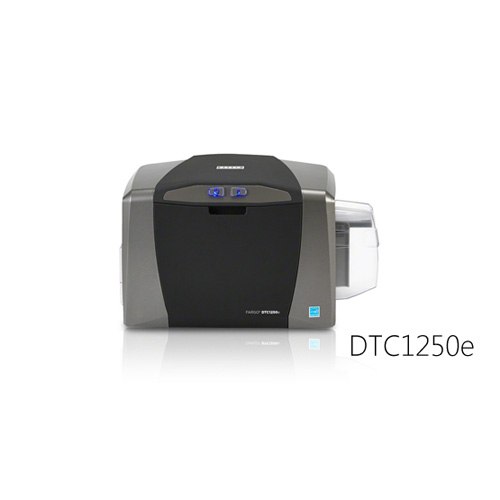
The FARGO to buy for a few hundred to a few thousand cards a year. Unusually for an entry machine it will print both sides, and the 100-card input hopper means a batch can be left to run. If your door readers are HID — and in a great many Indian offices they are — this is the printer that encodes those credentials without an adapter.
HID FARGO DTC1250e — sales, installation and in-house service from Mindware, New Delhi.
| Print method | Dye sublimation and resin thermal transfer, direct-to-card |
|---|---|
| Resolution | Up to 300 dpi |
| Sides | Single or dual-sided |
| Colour speed | Up to 225 full-colour cards per hour, single or dual-sided |
| Mono speed | 6 seconds per card monochrome; 24 seconds per card in full colour with two black resin panels |
| Hoppers | 100-card input, 30-card output |
| Card sizes | CR-80 and CR-79 adhesive-back; edge-to-edge printing |
| Connectivity | USB 2.0 |
| Display | SmartScreen graphical display |
HID FARGO DTC4250e
DTC4250e
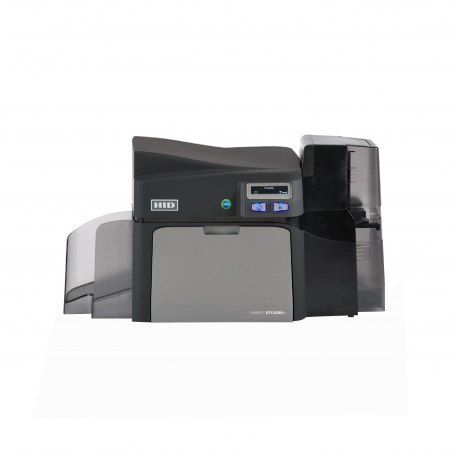
The volume machine of the DTC range, and modular rather than fixed — smart card encoders, locking card hoppers and other modules are added to the same base printer. The dual-input hopper is the practical difference from the DTC1250e: 200 cards in, and two card types loaded at once so an issuing desk is not swapping stock between jobs.
HID FARGO DTC4250e — sales, installation and in-house service from Mindware, New Delhi.
| Print method | Dye sublimation and resin thermal transfer, direct-to-card |
|---|---|
| Sides | Single or dual-sided |
| Colour speed | More than 200 single-sided or 100 dual-sided full-colour cards per hour |
| Hoppers | Dual-input hopper, 200-card capacity; 100-card output |
| Modules | Optional smart card encoder, locking card hoppers and further add-on modules |
HID FARGO DTC4500e
DTC4500e
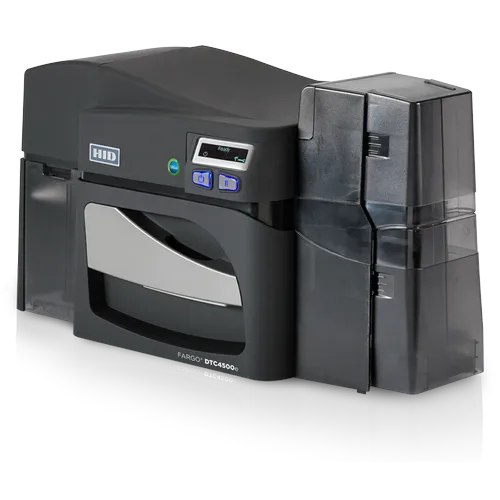
The DTC4250e with the two things a continuous issuing desk needs: high-capacity ribbons, so it prints roughly twice as many colour cards between reloads, and optional dual-sided lamination for cards that have to survive years of handling. The 100-card reject hopper is the detail that matters in a controlled process — a spoiled card is separated automatically instead of ending up back in the good stack.
HID FARGO DTC4500e — sales, installation and in-house service from Mindware, New Delhi.
| Print method | Dye sublimation and resin thermal transfer, direct-to-card |
|---|---|
| Sides | Dual-sided |
| Print speed | 16 seconds per card in YMCKO; 6 seconds per card monochrome |
| Hoppers | Dual-input 200-card hopper, 100-card output, 100-card reject hopper |
| Lamination | Optional dual-sided lamination |
| Consumables | High-capacity ribbons — roughly twice the colour cards per reload |
HID FARGO HDP5000e
HDP5000e
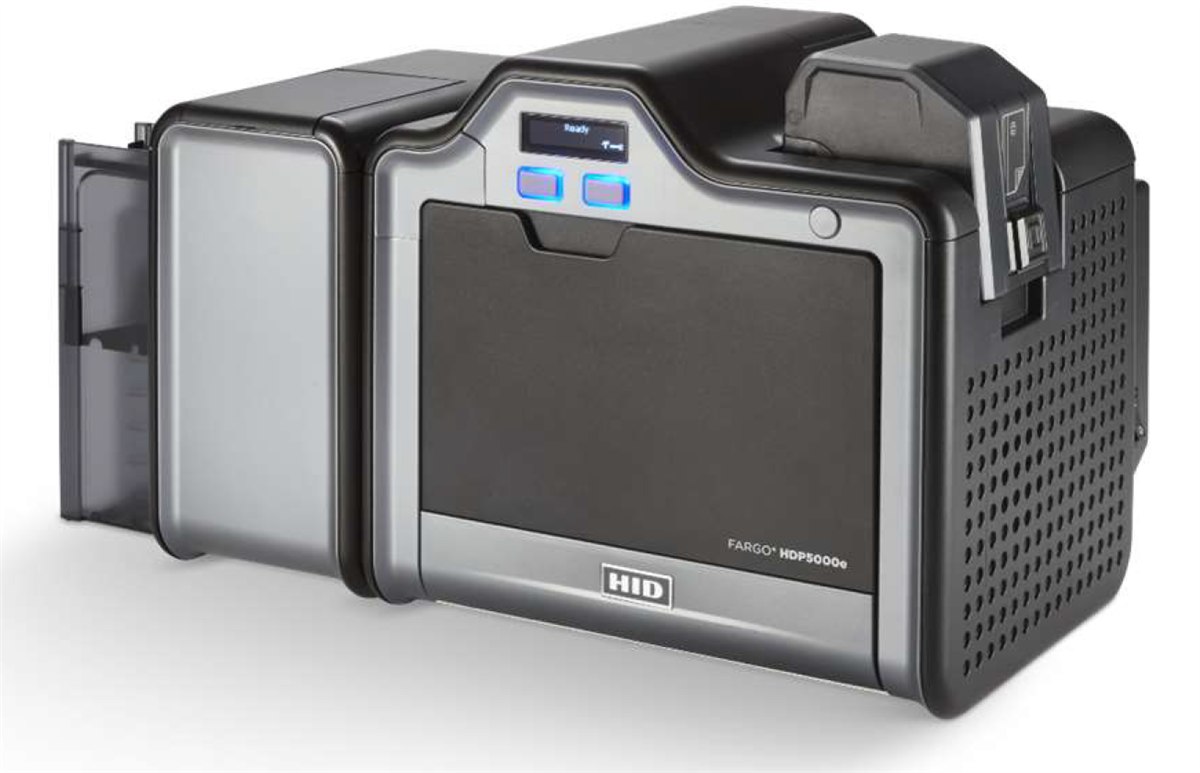
Retransfer, which is the technology to specify the moment the card has a contact chip in it. The image is printed onto a film and the film is fused to the card, so it goes over the raised chip and to the true edge — where a direct-to-card printer leaves a visible dimple and a white border. This is the FARGO for an access-control estate printing onto technology cards.
HID FARGO HDP5000e — sales, installation and in-house service from Mindware, New Delhi.
| Print method | HDP retransfer — dye sublimation and resin thermal transfer onto film, then fused to the card |
|---|---|
| Resolution | 300 dpi (11.8 dots/mm) |
| Print speed | Up to 24 seconds per card — up to 150 cards per hour (YMC with transfer) |
| Sides | Single-sided, with an optional dual-sided module |
| Card material | CR-80 PVC, composite PVC, composite, PET, PETG or polycarbonate |
HID FARGO HDP6600
HDP6600
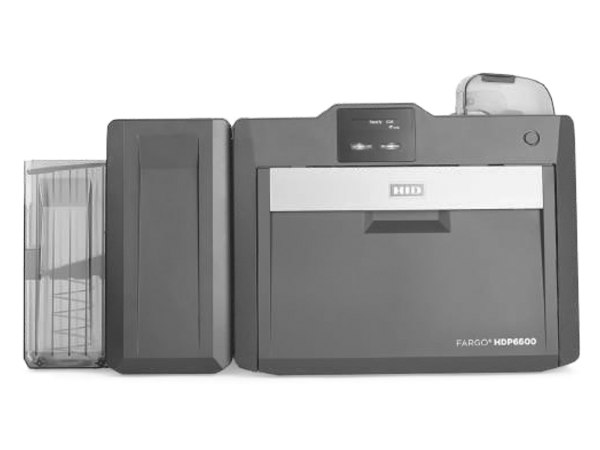
The fastest retransfer printer HID makes, at 600 dpi. The figure worth knowing is not the throughput but the warm-up: iON technology brings it to operating temperature in under a minute, where a retransfer machine has traditionally meant waiting several. For an issuing desk that prints in bursts through the day rather than in one long run, that is the difference between a printer somebody uses and one they leave switched off.
HID FARGO HDP6600 — sales, installation and in-house service from Mindware, New Delhi.
| Print method | HDP retransfer — image printed to film, then fused to the card |
|---|---|
| Resolution | 600 dpi |
| Print speed | Up to 230 cards per hour (YMCK with transfer) |
| Warm-up | iON technology — operating temperature in under 60 seconds |
Entrust Datacard card printers — The bank and government issuing standard
Datacard is the name on most of the card issuance India's banks and large institutions have run for decades — the company is now Entrust, and the printers carry both names. This is the range specified where issuance is a controlled process rather than a task: locking hoppers, reject hoppers that keep a spoiled card out of the good stack, and multi-hoppers that hold several card types at once for an issuing desk that prints staff, visitor and contractor cards from one queue.
Entrust Datacard SD260
SD260
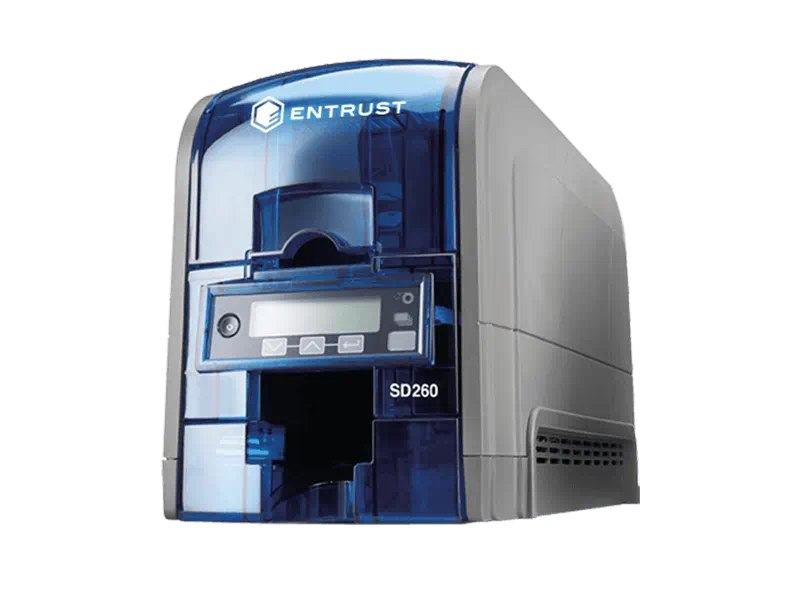
The Datacard most Indian institutions mean when they say "the Datacard" — a desktop direct-to-card printer built to be run every day by somebody who is not a printer operator. The monochrome throughput is the striking figure: over 800 cards an hour, which makes it the machine to put on a visitor desk that issues disposable passes all day.
Entrust Datacard SD260 — sales, installation and in-house service from Mindware, New Delhi.
| Print method | Dye sublimation and resin thermal transfer, direct-to-card |
|---|---|
| Resolution | 300 × 1200 dpi |
| Colour speed | Up to 200 cards per hour, single-sided colour |
| Mono speed | Up to 830 cards per hour monochrome |
| Feeder | Automatic feed hopper |
Entrust Datacard CD800
CD800
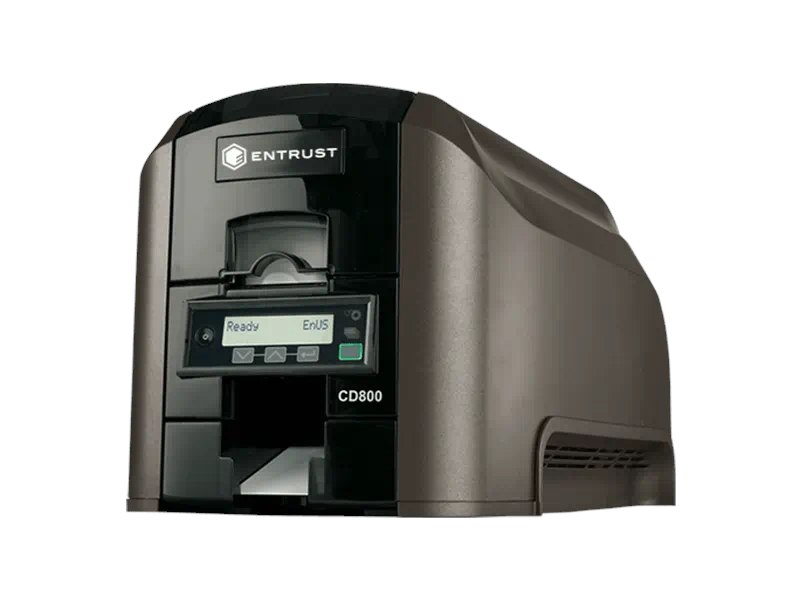
A step up from the SD260 in both speed and print quality, and the model to specify when one desk issues several kinds of card. The six-compartment multi-hopper is the reason: staff, visitor, contractor and replacement stock all loaded at once, with the printer pulling from the right compartment per job instead of somebody swapping cards between print runs.
Entrust Datacard CD800 — sales, installation and in-house service from Mindware, New Delhi.
| Print method | Dye sublimation and resin thermal transfer, direct-to-card |
|---|---|
| Resolution | 300 × 600 dpi high-quality mode; 300 × 1200 dpi for enhanced text and barcodes |
| Colour speed | Up to 220 cards per hour one-sided (YMCKT); up to 165 cards per hour two-sided (YMCKT-K) |
| Hoppers | Automatic feed, 100-card input at 0.76 mm; 25-card output standard |
| Multi-hopper | Optional six-compartment multi-hopper |
Entrust Sigma DS2
Sigma DS2
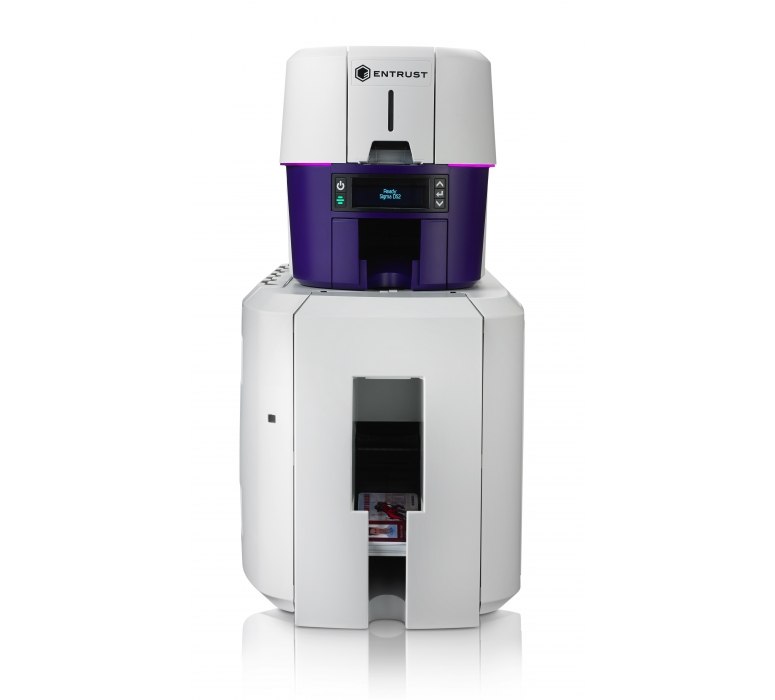
The current Sigma generation, and the one to quote where issuance is audited rather than merely done. Dual-sided colour, a reject hopper that separates spoiled cards automatically, and hopper options that take it to 200 cards in. If a card programme has a compliance requirement attached to it, this is the printer that satisfies the process side of it as well as the printing.
Entrust Sigma DS2 — sales, installation and in-house service from Mindware, New Delhi.
| Print method | Dye sublimation, direct-to-card |
|---|---|
| Resolution | 300 dpi — 300 × 600 and 300 × 1200 |
| Sides | Single or dual-sided |
| Mono speed | Up to 880 single-sided cards per hour |
| Colour speed | Up to 225 cards per hour single-sided; up to 140 cards per hour dual-sided |
| Hoppers | 125-card input (200 optional), 25-card output (100 optional), 10-card reject hopper |
| Card sizes | ID-1 — CR-79 and CR-80 |
| Card thickness | 0.010 – 0.040 in (0.25 – 1.016 mm) |
Entrust Sigma DS3
Sigma DS3
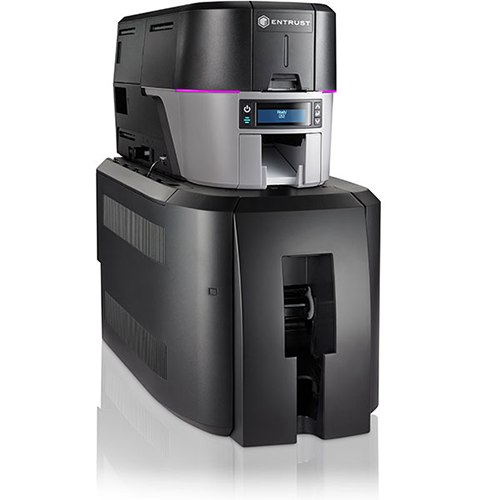
The DS2 mechanism behind a six-compartment multi-hopper — six 125-card hoppers, 750 cards loaded at once. This is a printer for a central issuing office running several card types continuously, where the constraint is not print speed but how often somebody has to walk over and reload it.
Entrust Sigma DS3 — sales, installation and in-house service from Mindware, New Delhi.
| Print method | Dye sublimation, direct-to-card |
|---|---|
| Sides | Single or dual-sided |
| Multi-hopper | Six compartments of 125 cards — 750 cards total capacity |
Evolis card printers — Three-year warranty as standard
Evolis is the French manufacturer, and the reason it wins tenders here is usually the warranty: three years on the printer as standard across the range, where most competitors ship one. The Primacy 2 is the direct rival to the ZC300 and the machine we quote against it most often; the Badgy200 is the genuinely small one, for an office that needs a few hundred cards a year and no more.
Evolis Primacy 2
Primacy 2
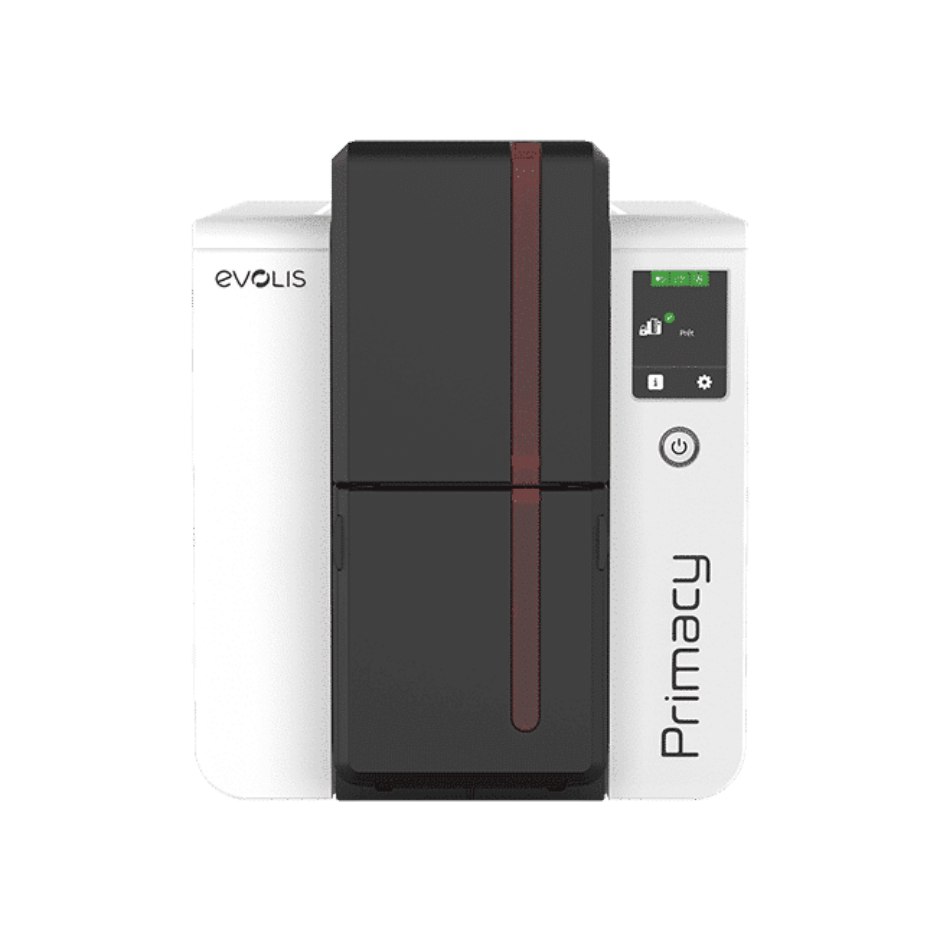
The direct rival to the Zebra ZC300, and the Evolis we quote against it most often. Faster on paper — 280 single-sided cards an hour — with a 100-card feeder as standard and a 200-card option, and three years of warranty in the box rather than one. The Kineclipse security feature and mechanical lock matter where the printer sits somewhere the public can reach.
Evolis Primacy 2 — sales, installation and in-house service from Mindware, New Delhi.
| Print method | Direct-to-card dye sublimation, resin thermal transfer and rewrite |
|---|---|
| Resolution | Customisable 300 × 600 dpi colour and monochrome, or 300 × 1200 dpi monochrome |
| Sides | Single or dual-sided, edge-to-edge |
| Colour speed | Up to 280 cards per hour single-sided; up to 170 cards per hour dual-sided |
| Feeder | 100-card feeder standard; 200-card feeder optional |
| Connectivity | USB and Ethernet; Wi-Fi optional |
| Encoding | Magnetic stripe, contact and contactless smart card options |
| Security | Kineclipse security feature and mechanical locking system |
| Lamination | Optional Card Lamination Module (CLM) |
| Warranty | 3 years standard |
Evolis Zenius 2
Zenius 2
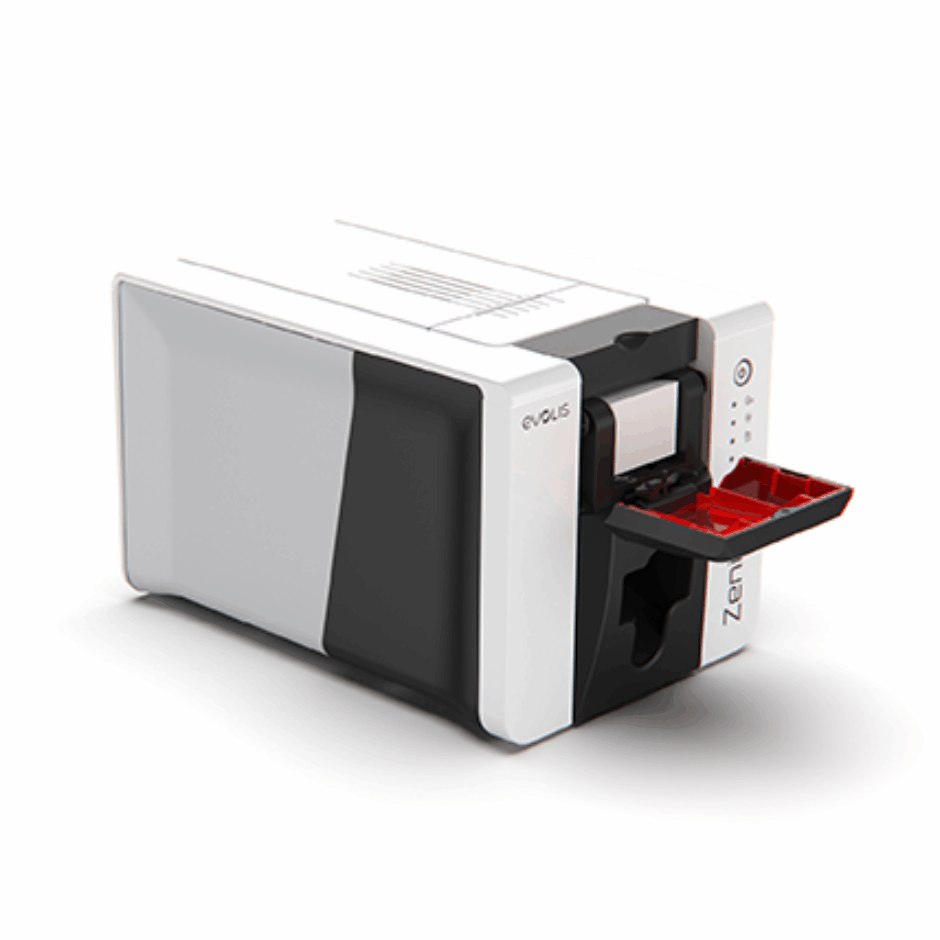
Single-sided only, and priced accordingly — the Evolis for an office issuing staff badges in small runs. It comes in two builds and the difference is worth understanding before ordering: the Classic is USB with no encoding, and the Expert adds Ethernet and the encoder options. A Classic cannot be turned into an Expert later.
Evolis Zenius 2 — sales, installation and in-house service from Mindware, New Delhi.
| Print method | Direct-to-card dye sublimation, resin thermal transfer and rewrite |
|---|---|
| Resolution | 300 × 300 dpi standard; customisable to 300 × 600 dpi, or 300 × 1200 dpi monochrome |
| Sides | Single-sided, edge-to-edge |
| Colour speed | Up to 180 cards per hour |
| Mono speed | Up to 700 cards per hour |
| Feeder | 50-card feeder; 25-card front output hopper, 50-card rear output hopper |
| Connectivity | USB (Classic); USB and Ethernet (Expert) |
| Encoding | Magnetic stripe, smart card, contactless or dual — Expert model only |
| Warranty | 3 years |
Evolis Avansia
Avansia
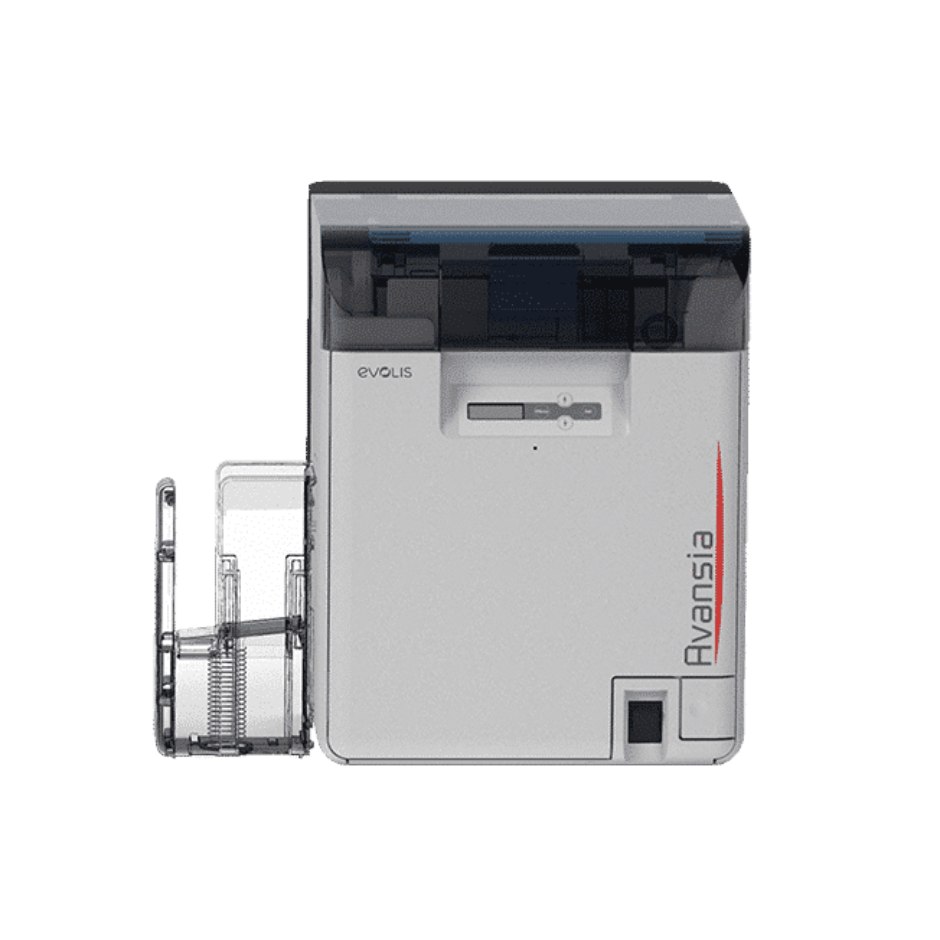
The Evolis retransfer machine, and the one with the specification that stands out on this page: a lifetime warranty on the print head. 600 dpi over the edge on any card material, dual-sided as standard, and 250 cards in and 250 out so it runs a long batch unattended. The built-in card flattener is not a footnote — retransfer film shrinks as it cools and warps a card without one.
Evolis Avansia — sales, installation and in-house service from Mindware, New Delhi.
| Print method | Retransfer — dye sublimation and resin thermal transfer, over the edge |
|---|---|
| Resolution | 600 dpi print head |
| Sides | Dual-sided |
| Print speed | 144 cards per hour single-sided; 96 cards per hour dual-sided |
| Hoppers | 250-card feeder and 250-card output hopper |
| Card material | All card types — PVC, PET, polycarbonate and ABS; built-in card flattener |
| Connectivity | USB and Ethernet |
| Encoding | Magnetic stripe, contact and contactless smart card, combinable |
| Warranty | 3 years, and a lifetime warranty on the print head |
Evolis Badgy200
Badgy200
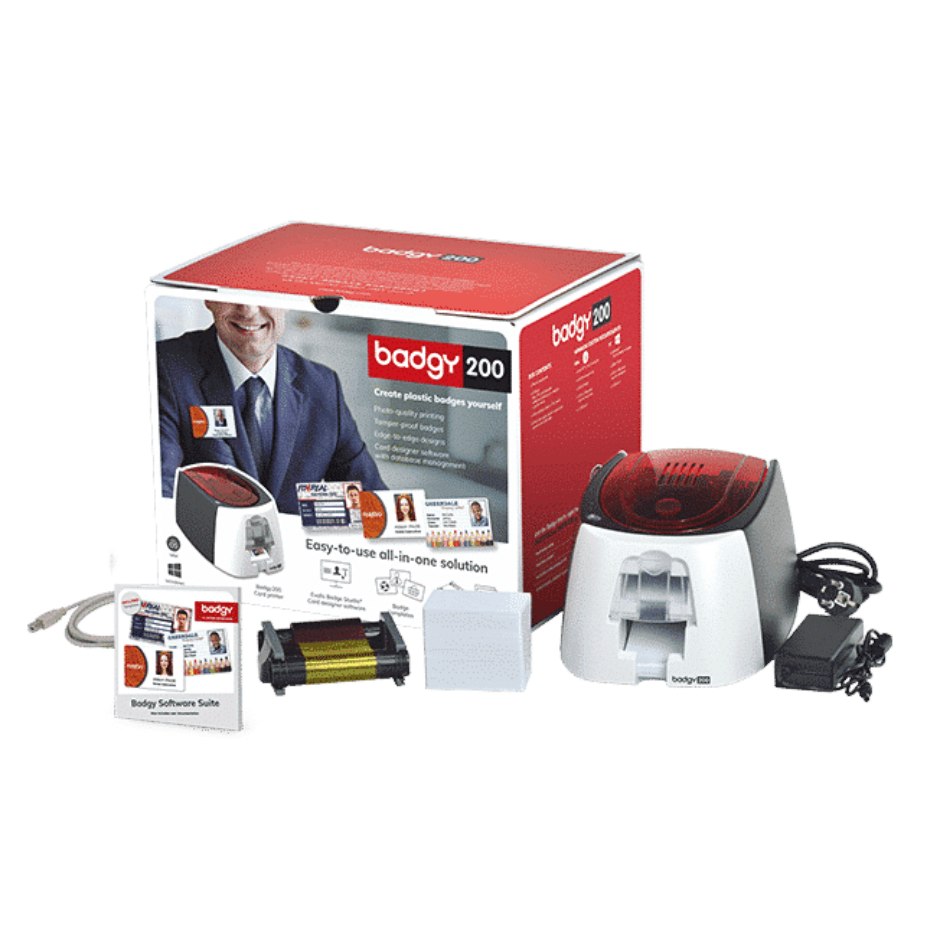
Smaller than an A4 sheet and 1.7 kg, which makes it the only printer here you can put in a drawer. It is the honest answer for an office that needs a few hundred cards a year and has been quoted a machine ten times the size — it prints both sides and comes with card design software, and if your volume grows past it the Zenius 2 is the step up.
Evolis Badgy200 — sales, installation and in-house service from Mindware, New Delhi.
| Print method | Direct-to-card dye sublimation and resin thermal transfer |
|---|---|
| Resolution | Customisable 260 × 300 dpi |
| Sides | Single or dual-sided, edge-to-edge |
| Colour speed | 38 seconds per card — 95 cards per hour (YMCKO) |
| Mono speed | 11 seconds per card — 325 cards per hour |
| Feeder | 25 cards at 0.76 mm, or 40 cards at 0.50 mm |
| Card thickness | 0.50 mm (20 mil) to 0.76 mm (30 mil) |
| Connectivity | USB 2.0, cable supplied |
| Weight | 1.7 kg |
| Software | Supplied with Evolis Badge Studio |
| Warranty | 2 years, printer and print head |
Which card printer do you actually need?
Three questions decide it, and the brochure answers none of them. How many cards a year? Is anything printed on the back? And does the card have to survive years in a wallet, or a weekend on a lanyard?
| Your situation | The printer | Why |
|---|---|---|
| A few hundred cards a year, desk space is tight | Evolis Badgy200, or Zebra ZC100 | The Badgy200 prints both sides and fits in a drawer. The ZC100 is single-sided only and cannot be upgraded — be certain about the back of the card before choosing it. |
| A few thousand a year, or the back is printed | Zebra ZC300, Evolis Primacy 2, or FARGO DTC1250e | The three we quote against each other most often. The ZC300 takes a dual-sided flipper later; the Primacy 2 is faster and carries three years of warranty; the DTC1250e is the one to pick if your door readers are HID. |
| One desk issuing several different card types | Entrust CD800 or Sigma DS3 | The six-compartment multi-hopper. Staff, visitor and contractor stock loaded at once, with the printer pulling from the right compartment instead of somebody swapping cards between runs. |
| Issuance has to be auditable | Entrust Sigma DS2, or FARGO DTC4500e | Reject hoppers that separate a spoiled card automatically, and locking hoppers so blank stock is controlled. The process matters as much as the print. |
| The card is a credential worth forging | Zebra ZC350 | Colour-shifting and UV security ribbons make a photocopied card obvious without a reader. |
| Continuous issuing, cards must last a decade | Zebra ZXP Series 7, or FARGO DTC4500e | Lamination. The ZXP Series 7 laminates both sides simultaneously and processes three jobs at once, so throughput holds over a long run. |
| Smart cards, edge-to-edge, or government-grade | Zebra ZXP Series 9, Evolis Avansia, or FARGO HDP6600 | Retransfer — it prints over a contact chip and to the true edge, at 600 dpi. The Avansia carries a lifetime print head warranty; the HDP6600 warms up in under a minute. |
Employee ID and access badges
Photo, name, department, barcode or QR, and an encoded stripe or chip for the door. A ZC300 with YMCKOK covers almost every corporate ID programme in the country.
Schools, colleges and universities
A thousand student cards in a fortnight every July, then nothing until next July. Buy for the peak: 100-card hoppers and dual-sided printing are what turn that fortnight into two afternoons.
Hospitals and clinics
Staff credentials, patient cards and visitor passes from one machine — a monochrome ribbon for the disposable visitor passes and colour for the staff badges, on the same printer.
Membership and loyalty
Gyms, clubs, libraries and retail loyalty schemes. Printing in-house means a new member walks out with the card in their hand instead of waiting a fortnight for a print run.
Government and high-security credentials
Retransfer printing on composite card with lamination and UV or colour-shifting security features — the ZXP Series 9, and the reason it exists.
Events, conferences and visitors
High volume, short life, cost per card is everything. Monochrome ribbon on 20 mil card, printed on the day at the registration desk.
Tell us how many cards a year, whether the back is printed, and whether anything is encoded — magnetic stripe, contact chip or contactless. Those three answers pick the printer, and they also tell us which ribbon and which card stock to quote alongside it, which is where the real running cost sits.
Card printer ribbons — and what the panel letters mean
A card ribbon is quoted by how many cards it prints, not by its length, and the panel code tells you what it can do. Get the code wrong and you discover it when the reverse of two hundred cards comes out blank — so the codes are explained here rather than merely listed.
Card printer ribbons
Full-colour ribbons — ZC300
| 800300-350 | YMCKO full colour, approximately 200 cards. Colour one side, with the protective overlay. |
|---|---|
| 800300-360 | YMCKOK full colour, approximately 200 cards. Colour on the front, black resin on the back — the one to order for dual-sided cards. |
Full-colour ribbons — ZC350
| 800350-350 | YMCKO full colour, approximately 200 cards, supplied with a cleaning roller. |
|---|---|
| YMCKOK and specialty | Dual-sided colour, plus the ZC350 security ribbons — colour-shifting and UV watermark. Ask us for the current part number for the effect you need. |
Ribbons — HID FARGO
| 45000 | YMCKO full colour, approximately 250 prints. For the DTC1000 and DTC1250e. |
|---|---|
| 45010 | YMCKOK six-panel — colour front, black resin back. The one to order for dual-sided FARGO cards. |
| 45200 | YMCKO full colour for the DTC4500 and DTC4500e. |
| HDP retransfer film | The HDP5000e and HDP6600 take a ribbon and a separate transfer film — two consumables, not one. Tell us the model and we will quote the pair. |
Ribbons — Entrust Datacard
| YMCKT | The Datacard full-colour code — colour plus a thin protective topcoat. The SD and CD series quote their speeds against it. |
|---|---|
| YMCKT-K | Colour front, black back, for dual-sided cards on the CD800 and the Sigma range. |
| Monochrome and specialty | Black, white, silver, gold and coloured resin. Ask us for the current part number against your printer model — Entrust part numbers differ between the SD, CD and Sigma families. |
Ribbons — Evolis
| YMCKO | Full colour with overlay, for single or dual-sided printing across the Evolis range. |
|---|---|
| ½YMCKO | Half-panel — the yellow, magenta and cyan panels are half length. For cards with a small colour photograph and the rest in black: noticeably cheaper per card. |
| KO | Two panels — black, plus the clear overlay. |
| Monochrome range | Black, blue, red, green, white, metallic gold and metallic silver. |
| Region codes | Evolis ribbons carry a region code in the last digits of the part number, and a printer will refuse a ribbon from the wrong region. We supply the correct code for India — worth knowing before buying a ribbon from an overseas listing. |
Monochrome ribbons
| Black resin (K) | Text, barcodes and line art only. Several times the yield of a colour ribbon and a fraction of the cost — the right choice for visitor passes and anything disposable. |
|---|---|
| White, silver, gold, red, blue, green | Single-colour ribbons for printing onto dark or pre-printed card stock. |
| KrO — black plus overlay | Monochrome with the protective overlay panel, where a mono card still has to survive handling. |
What the panel letters mean
| Y M C | Yellow, magenta and cyan — the three dye panels that combine into full colour. |
|---|---|
| K | Black resin. Sharper than composite black, and the only panel that prints a reliably scannable barcode. |
| O | Clear overlay. The wear layer — without it a dye-sub card fades in a wallet within months. |
| YMCKOK | Colour front, black back. Count your sides before you order. |
Genuine ribbons only, for all four brands. A card printer head is the expensive part of the machine and a cheap ribbon is the fastest way to ruin one — which is a false economy we will talk you out of. Evolis ribbons additionally carry a region code, and a printer will refuse one bought for the wrong region.
PVC cards and card stock
Blank cards look like a commodity and are not. Thickness, material and any encoding built into the card all have to match the printer and the job — and the wrong choice usually shows up as a card that warps in the laminator or fades in a wallet, months after the purchase order was signed.
Blank and encoded card stock
Standard blank cards
| CR-80, 30 mil PVC | 85.6 × 54 mm, 0.76 mm thick — the credit-card size, and what every printer on this page expects unless you say otherwise. Glossy white, printable both sides. |
|---|---|
| CR-80, 20 mil PVC | Thinner and cheaper, for short-life visitor and event passes. Not for anything that lives in a wallet. |
Durable and specialist cards
| Composite PVC/PET | Withstands the heat of lamination and retransfer without warping. Required for the ZXP Series 7 and 9 if you are laminating; strongly advised for any card meant to last five years or more. |
|---|---|
| Adhesive-backed | Printed then stuck to an existing proximity card, so you can re-badge an access-control estate without re-issuing the credentials inside it. |
| Signature panel and pre-punched | Slot-punched for a lanyard, portrait or landscape, and signature-panel cards where a handwritten signature is required. |
Encoded and smart cards
| Magnetic stripe — HiCo and LoCo | HiCo for cards used daily and carried near magnets; LoCo for short-life cards. They are not interchangeable — a HiCo card will not encode on a LoCo-configured head. |
|---|---|
| Contact smart cards | Chip cards for access control and payment. Print these on a retransfer machine — a direct-to-card printer struggles over the raised chip. |
| Contactless and RFID cards | MIFARE, DESFire and UHF cards for access control, attendance and cashless canteens — encoded and verified by us if you would rather not do it in-house. |
Not sure which stock your printer takes, or whether your access-control system needs MIFARE or DESFire? Send us a photograph of a card you already use — the printing on the back is usually enough for us to identify it.
Spares, wear parts and upgrade modules
A card printer has perhaps six parts that wear, and knowing which they are turns an alarming fault into a scheduled replacement. These are the ones we are asked for, across all four brands.
Spares and wear parts
Print heads
| Direct-to-card print head | The expensive part of any card printer, and the one a cheap ribbon destroys. Rated in cards rather than years — a head that has printed its rated life will start dropping a fine white line down the card. Model-specific: send us the printer serial and we will identify the right head. |
|---|---|
| Retransfer print head | For the HDP, ZXP Series 9 and Avansia machines. The Avansia carries a lifetime print head warranty from Evolis, which is worth checking before buying one for it. |
Rollers and card path
| Cleaning roller / cleaning cartridge | Lifts dust off the card before it reaches the head. Usually supplied with each ribbon — if somebody has been leaving the old one in, that alone explains the specks on the cards. |
|---|---|
| Card feed and pinch rollers | Rubber hardens with age and starts to slip, which shows up as double-feeds, mis-registration or a card that stops half way. A wear item on any machine past a few years. |
| Card weight and hopper springs | The parts that go missing rather than wear out, and without which the last twenty cards in a hopper will not feed. |
Cleaning kits
| 86177 | The FARGO cleaning kit — 3 long cleaning cards, 10 adhesive cleaning cards for the rollers and 4 swabs. Covers the DTC1000, DTC1250e, DTC1500, DTC4250e, DTC4500e, C30 and C50. |
|---|---|
| Evolis cleaning kits (R5F008 series) | For the Primacy, Zenius, Elypso and related machines. Evolis recommend cleaning at every ribbon change, and the printer counts down to it. |
| Zebra and Entrust cleaning kits | Cleaning cards and swabs for the ZC, ZXP, SD, CD and Sigma ranges. Tell us the model — the card length differs between families. |
Modules and upgrades
| Dual-sided flipper module | Field-fitted to a ZC300 or ZC350 to turn a single-sided printer into a dual-sided one. Not available for every machine — the Zebra ZC100 and the Evolis Zenius 2 cannot be upgraded, which is the thing to be certain of before buying either. |
|---|---|
| Encoders | Magnetic stripe, contact and contactless smart card encoding, fitted at manufacture or added later depending on the model. On the Evolis Zenius 2 this requires the Expert build from the outset. |
| Lamination modules | For the DTC4500e, ZXP Series 7 and the Evolis CLM. A laminated card is the difference between a credential that survives five years in a wallet and one that does not. |
Print heads and encoders are model-specific and often serial-specific. Send us a photograph of the label inside the printer lid and we will identify the exact part rather than quote you something close.
Card printer service centre — New Delhi, all four brands
Mindware repairs Zebra, HID FARGO, Entrust Datacard and Evolis card printers on its own bench in New Delhi — the same bench that services the ferrule and label printers. Selling a printer and then having nowhere to send it when it stops is the gap most card printer buyers in India actually run into, and it is the reason this counter exists. Bring the machine in, or send it; we quote before we start work, and we tell you when a repair is not worth doing.
A white or coloured line down every card
A failed element in the print head, and it does not recover. The head is replaceable and we stock or source them for all four brands — but bring the ribbon you were using, because a non-genuine one is the usual cause and fitting a new head without changing that habit buys a few months.
Specks, dust or dropout across the print
Almost always the cleaning roller, the card stock, or both. This is the fault most often fixed on the phone at no charge — which we would rather do than book a call-out for it.
Cards double-feeding, jamming or stopping half way
Hardened feed rollers, a worn card weight, or card stock outside the thickness the feeder is set for. On a machine past three or four years it is usually the rollers, and they are a cheap part.
Colours wrong, washed out or shifted
Ribbon panel registration, a colour profile that was never set up, or a ribbon from the wrong region on an Evolis. We recalibrate and supply a corrected profile rather than leaving you to guess at driver settings.
Encoding fails but printing is fine
A separate subsystem from the print path. HiCo cards on a LoCo-configured head is the classic one, and it is a setting rather than a fault. Contactless failures are more often the card than the encoder.
Retransfer cards curling or the film lifting
Transfer temperature against the card material, and a flattener that needs adjusting. Retransfer onto plain PVC rather than composite is the most common cause — the card cannot take the heat.
We are a sales and service company, not the manufacturer. A machine inside its manufacturer warranty should usually go to the brand's own warranty channel and we will tell you so rather than take the job — what we handle is everything after that, and everything the warranty does not cover.
Specifications on this page were taken from the manufacturers' own published data and last checked on August 18, 2026. Manufacturers revise specifications without notice — confirm the current sheet with us before you write a purchase order against these figures.
Common questions
What is the difference between a YMCKO and a YMCKOK ribbon?
YMCKO prints full colour on one side of the card. YMCKOK adds a second black resin panel for printing the back. Ordering YMCKO when you needed YMCKOK is the most common card consumables mistake, and it is only discovered when the reverse of the card comes out blank — so count your printed sides before you order.
Which Zebra card printer should I buy?
The ZC100 for a few hundred single-sided cards a year, but be certain you will never need the back printed because it cannot be upgraded. The ZC300 for anything more, and it is the usual correct answer — it has 100-card hoppers and the dual-sided flipper can be added later. The ZC350 where the card is a credential worth forging. The ZXP Series 9 for smart cards, edge-to-edge printing or government-grade credentials.
Which blank cards do I need?
CR-80 30 mil PVC is the standard credit-card size and what every printer expects by default. Use 20 mil for short-life visitor and event passes. Use composite PVC/PET if you are laminating or using a retransfer printer, because plain PVC warps under the heat. Magnetic stripe cards come in HiCo and LoCo and the two are not interchangeable.