
Mindware — TSC Printers Service Centre Google Rating 4.8 852 reviews Rated 4.8 out of 5 from 852 reviews Review us on Google

Barcode printer drivers, diagnostic tools and label software — free download

Windows, macOS and Linux drivers, printer utilities and label design software for TSC, Zebra, SATO, Toshiba TEC, Godex, Citizen, Argox, HPRT and Dcode barcode label printers. Free, from Mindware in New Delhi.

10 diagnostic tools and 31 downloads in all. One file per request — fill the short form once and it releases that file; come back for the next one.

Install the driver before you plug the printer in, not after — Windows otherwise attaches a generic driver of its own and every label comes out the wrong size. If it is already printing badly, the diagnostic tool for your brand is further down the page: nine times out of ten a label that skips, prints blank or comes out half-size is an uncalibrated sensor rather than a broken printer.

TSC

  • Driver TSC printer driver for Windows Windows · 46 MB

    The Seagull-built Windows driver covering the whole TSC range — desktop, industrial and mobile. Install this before plugging the printer in, not after.

    Download driver Or in 3 pieces, each under 20 MB: Part 1 (19 MB) Part 2 (19 MB) Part 3 (8 MB) Download every piece into one folder, then open the .001 file with 7-Zip — it joins them and extracts in one step. Get 7-Zip free Newest version at the manufacturer
  • Driver TSC printer driver for macOS macOS

    CUPS driver for macOS. TSC publish this per model, so pick your machine on their download page.

    Get this driver Quick form, then straight to the maker's download page for your model.
  • Driver TSC printer driver for Linux Linux

    CUPS driver for Linux distributions. Published per model on the TSC download page.

    Get this driver Quick form, then straight to the maker's download page for your model.
  • Diagnostic tool TSC Diagnostic Tool Windows

    Calibrate the gap or black-mark sensor, set darkness and speed, read the printer configuration and run a self-test. The first thing to reach for when labels skip or print blank.

    Get this tool Quick form, then straight to the maker's download page for your model.
  • Label software LabelShop for TSC printers — full version Windows

    The label designer that comes with TSC printers — the complete product, free, no trial period and no licence key. Design labels, pull the data from a spreadsheet and print. Enough for most counters; you only need BarTender when a database has to drive the label or an operator must not be able to edit the template.

    Get this software Quick form, then straight to the maker's download page for your model.

Godex

Zebra

  • Driver Zebra ZDesigner driver for Windows Windows

    The ZDesigner Windows driver for the Zebra ZD, ZT, ZQ and GK ranges. This is the one to install before connecting the printer — Windows otherwise attaches a generic driver and every label comes out the wrong size.

    Get this driver Quick form, then straight to the maker's download page for your model.
  • Diagnostic tool Zebra Setup Utilities Windows

    Calibration, darkness and speed, network configuration and firmware. The tool to reach for when the printer works but the print does not look right.

    Get this tool Quick form, then straight to the maker's download page for your model.
  • Label software ZebraDesigner Essentials label software Windows

    Zebra's own label designer, free for basic label design. Fine for a fixed label; if you need a database behind it or a print operator who should not edit the template, that is BarTender.

    Get this software Quick form, then straight to the maker's download page for your model.
  • Label software ZebraDesigner Pro Windows

    The paid ZebraDesigner: database connectivity, variable fields and scripting on top of Essentials. Installs as a trial and takes a licence key — ask us for the key rather than the download.

    Get this software Quick form, then straight to the maker's download page for your model.

cab

  • Driver cab printer driver for Windows Windows

    Windows driver for the cab range — SQUIX, MACH and EOS. cab machines are usually specified where the label has to be exact, so install the real driver rather than letting Windows guess.

    Get this driver Quick form, then straight to the maker's download page for your model.
  • Driver cab SQUIX driver and firmware Windows

    For the SQUIX 4, 4.3, 6.3 and 8.3. Includes the firmware, which on a SQUIX is worth keeping current — several print-positioning fixes only ever shipped as firmware.

    Get this driver Quick form, then straight to the maker's download page for your model.
  • Label software cablabel S3 label software Windows

    cab's own label designer. The Lite edition is free with the printer; Pro and Print add database work and an operator-only print screen.

    Get this software Quick form, then straight to the maker's download page for your model.
  • Diagnostic tool cab printer configuration tool Windows

    Settings, calibration and firmware for the SQUIX, MACH and EOS ranges.

    Get this tool Quick form, then straight to the maker's download page for your model.

Toshiba TEC

  • Diagnostic tool Toshiba TEC printer setting tool Windows

    Configuration and maintenance for the Toshiba TEC B-EX, B-FV and BA ranges — sensor calibration, print settings and firmware.

    Get this tool Quick form, then straight to the maker's download page for your model.

SATO

  • Diagnostic tool SATO All-In-One Tool Windows

    SATO's configuration and maintenance utility for the CL4NX, CL6NX and the rest of the range — settings, firmware, logs and a print test.

    Get this tool Quick form, then straight to the maker's download page for your model.

Argox

  • Diagnostic tool Argox printer utility Windows

    Sensor calibration, darkness and speed, and configuration for the Argox OS, CP and iX ranges.

    Get this tool Quick form, then straight to the maker's download page for your model.

HPRT

  • Diagnostic tool HPRT printer utility Windows

    Configuration and calibration for the HPRT label and receipt ranges.

    Get this tool Quick form, then straight to the maker's download page for your model.

Dcode

  • Diagnostic tool Dcode printer utility Windows

    Calibration and configuration for the Dcode range. We supply these printers, so if you cannot find the build for your model, ask us — we keep them.

    Request this file Tell us your model and we will email the exact file, usually within the hour.

Tools

  • Utility 7-Zip — free file extractor Windows · 2 MB

    Free and open source, and hosted here rather than linked — 7-Zip is LGPL, which permits binary redistribution as long as the licence travels with it, so it does. You need it for any download on this page that arrives in pieces: open the .001 file and 7-Zip joins the rest and extracts in one step. It also opens .rar and .7z, which Windows on its own will not.

    Download utility No form for this one — it is free software and you only need it to open ours. Newest version at the manufacturer

Label software

  • Label software NiceLabel Designer Windows

    Loftware NiceLabel — the usual alternative to BarTender, and the one most people find easier to learn. Prints to any of the printers on this site. Licensed per printer; we quote and support it here.

    Get this software Quick form, then straight to the maker's download page for your model.

Citizen

  • Driver Citizen label printer driver for Windows Windows

    Windows driver for the Citizen CL-S and CL-E label printer ranges.

    Get this driver Quick form, then straight to the maker's download page for your model.
  • Diagnostic tool Citizen printer utility and diagnostic tool Windows

    Configuration utility for setting darkness, speed, sensor calibration and network settings. Citizen publish it per model behind a selector.

    Get this tool Quick form, then straight to the maker's download page for your model.

BarTender

  • Label software BarTender installer — free 30-day trial Windows

    The full product, free for 30 days, direct from the maker. This is the same installer for every edition below — what you buy is the licence key that unlocks one of them. There is no separate download per edition, and no free perpetual version of BarTender.

  • Licence BarTender Starter Edition Windows

    Design and print from a spreadsheet, on unlimited printers with no per-printer fee. The right answer for a small business with several machines and straightforward labels.

  • Licence BarTender Professional Edition Windows

    Everything in Starter plus real database connectivity and the full data-processing toolkit. The edition most customers actually need. Licensed by printer count, so count your machines before ordering.

  • Licence BarTender Automation Edition Windows

    For printing triggered by your ERP, WMS or a machine on the line rather than by a person. Unlimited network users; licensing counts printers, not people.

  • Licence BarTender Enterprise Edition Windows

    Centralised printing, central security and an audit trail across sites — for regulated manufacturing. Also the edition most often over-specified: ask us, because Automation covers more people than they expect.

The driver is free. The labels are where the printer actually costs you money.

A thermal printer is bought once and fed every week. Over five years the stock costs several times what the machine did — which is why the label and the ribbon are worth more attention than the driver you came here for.

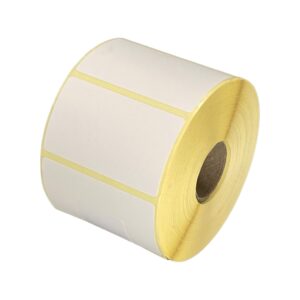
Labels cut to your size, not to a catalogue

Direct thermal, thermal transfer and polyester, cut to your width, length, core and number-up. Send the size you print — or a sample of what you run now — and we will match it, or tell you why the one you are on is wrong for the machine.

Ribbons matched to the label and the head

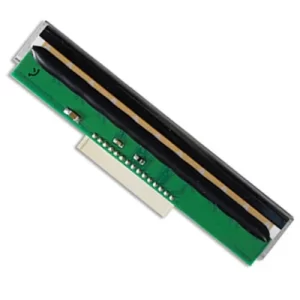
Wax, wax-resin and resin, cut to the core and width your printer takes. A matched ribbon prints at a lower darkness setting, and a lower darkness setting is a longer print head life — which is the running cost nobody budgets for until the head fails.

Printer past saving? We sell those too

If the driver was the last thing you had left to try, tell us the symptom before you buy anything. When a machine is genuinely finished we will say so and quote the replacement; when it is a nine-hundred-rupee platen roller we will say that instead.

Scanners and mobile computers

The other half of most barcode installations. If you are setting a printer up today you will be scanning what it prints tomorrow, and a scanner that reads your symbology first time is worth more than a cheap one that mostly does.

Buying elsewhere already? Attach the bill to the form above. We will price the same specification against it and say plainly if we cannot beat it.

Find the driver for your exact model

Every model we supply or hold parts for — 181 of them. Pick yours and the form arrives with the model already filled in, so we send the build that fits rather than a generic one.

TSC 97
Printronix ALPHA-40L RFID Label Printer Printronix T82R (203dpi) RFID Label Printer Printronix T82R T800 Series RFID Barcode Label Printer Printronix T830 (300dpi) RFID Label Printer Printronix T8204e ODV-2D RFID Label Printer Printronix T8206e ODV-2D RFID Label Printer Printronix T8304e (300dpi) ODV-2D RFID Label Printer Printronix T8306e (300dpi) ODV-2D RFID Label Printer The TSC RE310 is a rugged 3-inch mobile barcode printer TSC Alpha-2R Barcode Label Printer TSC Alpha 3R Portable Bluetooth Printer TSC Alpha 30L Mobile Label Printer TSC Alpha 30L Mobile Printer TSC Alpha 30R Mobile Printer TSC Alpha 30R Mobile Printer with Wi-Fi TSC Alpha 40L Mobile Label Printer TSC Alpha 40L Mobile Printer TSC DA210 Barcode Label Printer 203dpi TSC DA220 Barcode Label Printer 203dpi TSC DA310 Barcode Printer TSC DA320 Barcode Label Printer 300dpi TSC MB240 Barcode Printer TSC MB240T Barcode Printer TSC MB241 4-Inch Industrial Label Printer – Buy from Mindware TSC MB241T With 3.5inch Touchscreen Industrial Label Printer TSC MB341 Industrial Label Printer TSC MB341T With 3.5 inch Touchscreen Industrial Label Printer TSC MH241 Barcode Printer TSC MH241P Industrial Label Printer TSC MH241T With Touchscreen Industrial Barcode Printer TSC MH261T Barcode Industrial Printer TSC MH341P 300dpi Industrial Barcode Label Printer TSC MH341T 300dpi Industrial Barcode Label Printer TSC MH361T Barcode Printer TSC MH641 Industrial Barcode Label Printer TSC MH641T With Touchscreen Industrial Barcode Label Printer TSC ML-241 Barcode Printer TSC ML240 Barcode Printer TSC ML240P Barcode Printer TSC ML241P Barcode label Printer TSC ML340 Barcode Printer TSC ML340P Barcode Printer TSC MX241P Barcode Printer TSC MX341P Barcode Printer TSC MX641P Barcode Printer TSC PEX-1121 Barcode Printer TSC PEX-1131 Barcode Printer TSC PEX-1161 Barcode Printer TSC PEX-1221 Barcode Printer TSC PEX-1231 Barcode Printer TSC PEX-1261 Barcode Printer TSC Printronix T4204 barcode Label Printer 203dpi TSC Printronix T4304 300dpi Barcode Label Printer TSC Printronix T6204e 203dpi Label Printer TSC Printronix T6206e Industrial Label Printer TSC Printronix T6304e 300dpi Label Printer TSC Printronix T6306e Industrial Label Printer TSC Printronix T6604e 600dpi Label Printer TSC TA-210 Barcode Printer TSC TA210 Barcode Label Printer TSC TA220 Barcode Printer TSC TC210 Barcode Label Printer 203dpi TSC TC310 Barcode Label Printer 300dpi TSC TDM-20 Barcode Label Printer TSC TDM-30 Barcode Label Printer TSC TDP-245 Barcode Label Printer TSC TDP 247 Barcode Printer TSC TE-310 Barcode Printer TSC TE200 Barcode Label Printer TSC TE210 Barcode Printer TSC TE 210 barcode Printer with Bluetooth connectivity TSC TE220 Barcode Label Printer TSC TE244 Barcode Printer TSC TE300 Barcode Label Printer TSC TE310 Thermal Label Printer 300 dpi with Bluetooth TSC TE344 Barcode Label Printer TSC TH240 Barcode Label Printer TSC TH340 Barcode printer TSC TL240 Barcode Printer 203 dpi TSC TTP-246M Pro Barcode Label Printer TSC TTP-247 Barcode Label Printer TSC TTP-323 Barcode Printer TSC TTP-344M Pro Barcode Label Printer TSC TTP-345 Barcode Label Printer TSC TTP-384M Pro Barcode Label Printer TSC TTP-384MT Barcode Printer TSC TTP-2410M Pro Barcode Label Printer TSC TTP-2410MT Pro Barcode Label Printer TSC TTP-2610MT Barcode Label Printer TSC TTP 244 Pro Barcode Printer TSC TX200 Barcode Label Printer TSC TX210 Barcode Label Printer TSC TX 210 Barcode Printer TSC TX300 Barcode Label Printer TSC TX310 Barcode Label Printer 300dpi TSC TX600 Barcode Label Printer TSC TX610 Barcode Label Printer 600dpi
Zebra 14
Godex 21
Citizen 7
Toshiba TEC 6
SATO 4
Argox 8
Dcode 24

Model not listed? Fill the form anyway and put it in the printer box — we hold drivers for a good deal more than we list, and if we do not have yours we will get it.

Utilities and diagnostic tools — every label printer brand

One place for the utility that configures and calibrates a label printer, whoever built it — 20 brands, of which we supply and service 11. If your machine is not one of ours you are still welcome to the link: the labels and ribbons it eats are the same ones on our shelf, and we cut them to size.

Do you build label printers? India is the question you have not answered yet.

Mindware has sold, configured and repaired thermal label printers in New Delhi for years. We hold print heads for nine principals, cut labels and ribbons in-house, and answer the support call ourselves instead of forwarding it. If you build label printers and have no proper route into India, that is the gap: stock held here, engineers here, and a counter a customer can walk into.

We are not asking to be listed as one more reseller. We are asking for a conversation about representing your range in India properly.

gm@indianbarcode.com · +91 85274 22688 · Mindware, New Delhi

Datasheets and manuals

43 specification sheets and manuals, the ones that came with the machines. Useful before you buy and useful two years later when nobody can find the paper copy.

Show all datasheets
TSC-Alpha-30L-Mobile-Printer-1.pdf PDF · 3 MB Da series no healthcare PDF · 912 KB DA310 DA320 Series datasheet PDF · 971 KB Mb240 2019 PDF · 1 MB MH261T & MH361T Specification PDF · 2 MB Mindware new service program brochure en v0422 01 2 PDF · 3 MB Mindware services program brochure en v1 01 2 PDF · 3 MB Ml240p PDF · 2 MB Ml340 PDF · 2 MB Mx241p PDF · 908 KB Product Catalouge Mindware new1 PDF · 3 MB Product Catalouge Mindware new1 (1) (2) (1) (1) PDF · 4 MB T8000 2021 PDF · 452 KB Ta210 PDF · 665 KB Tdp 247 PDF · 603 KB Te200 en datasheet PDF · 409 KB Tl dl series en PDF · 368 KB TSC Alpha 30L Mobile Printer PDF · 1,005 KB TSC Alpha 30L Mobile Printer PDF · 3 MB TSC Alpha 30R Mobile Printer PDF · 1 MB TSC Alpha 30R Mobile Printer with Wi Fi pdf PDF · 3 MB TSC DA200 PDF · 3 MB TSC DA310 PDF · 284 KB TSC DA310 PDF · 284 KB TSC DA310 PDF · 284 KB TSC MH241 Barcode Printer PDF · 4 MB TSC PEX 1121 Barcode Printer PDF · 2 MB TSC TE 310 Barcode Printer PDF · 1 MB TSC TE200 PDF · 409 KB TSC TE244 Barcode Printer PDF · 335 KB TSC TH340 PDF · 303 KB TSC TTP 384MT Barcode Printer PDF · 354 KB TSC TX 610 Barcode Printer PDF · 944 KB TSC TX340 PDF · 303 KB Tsc auto id th dh series en 20260423 americas PDF · 5 MB Tsc barcode label printers te244 PDF · 335 KB Tsc ta220 PDF · 1 MB Tsc te200 te210 datasheet PDF · 650 KB TTP 345 Datasheet PDF · 65 KB TTP 345 Datasheet PDF · 65 KB Ttp 244 pro PDF · 622 KB Ttp 345 PDF · 261 KB Ttp 345 2017 PDF · 1 MB

Before you ring us about a printer that will not print

Which driver do I need for my barcode printer?

The one for your brand on this page, not one Windows picks for you. Install it before connecting the printer by USB — if Windows has already attached a generic driver, remove that device first, then install ours and reconnect. If you are unsure which build fits your model, fill in the form and we will send the exact file.

My printer prints blank labels. Is the printer faulty?

Usually not. A blank label is nearly always the wrong media setting — a thermal transfer printer running without a ribbon, or direct thermal stock loaded on a printer set to thermal transfer. Run the diagnostic tool for your brand, check the media type, and print a self-test. If the self-test is blank too, then it is the print head.

Labels are skipping, or printing across the gap. What is wrong?

The gap sensor has not been calibrated for your stock. Every diagnostic tool on this page has a calibration function, and it takes about thirty seconds. Change label size or switch between gap and black-mark stock and you have to calibrate again.

Is a driver enough, or do I need label software as well?

The driver only lets Windows talk to the printer. To design a label you need software: GoLabel is free with Godex, ZebraDesigner Essentials is free with Zebra, and BarTender or NiceLabel are what you buy when the label has to read a database or an operator must not be able to edit the template. All of them are on this page.

Do you supply the labels and ribbons for these printers?

Yes, and that is the part worth getting right. Over five years the stock costs several times what the machine did. Tell us your label size and how many you print a month on the form above and we will quote the matching label and ribbon — cut to your width, length and core rather than to a catalogue.

Why do I have to fill in a form to download a driver?

Because it lets us send the right file for your model rather than a generic one, and because we would rather know who is running which printer — that is how we can tell you the label and ribbon it takes. The code to your email is only there to keep automated junk out.

Cannot find the driver for your model, or it will not install? Send us the printer model and the Windows version and we will send the right file back the same working day.

Ask us for a driver gm@indianbarcode.com

Tell us the printer model and which Windows, macOS or Linux you are on.

Goes straight to gm@indianbarcode.com. We do not pass your address to anybody, and the sum above is there to keep the automated senders out.

Mindware — New Delhi

A counter you can walk into, not a call centre. Bring the printer, or send us the model and we will tell you what it needs before you spend anything.

Come and see us

Mindware, Office No. S-4, 2nd floor, Pankaj Plaza, Pocket-7, Plot-7, Near Dwarka Sector-12 Metro Station
Dwarka Sector-12, New Delhi 110078 (India)

Ring or message

Service centre +91 85275 22688

Sales, all India +91 85274 22688

No reply from either? Escalate on WhatsApp to +91 98108 22688.

Send a photo of the label or the printer — it saves a conversation.

Write to us

gm@indianbarcode.com

Replied to the same working day.

When we are open

Monday to Saturday
10 a.m. to 7 p.m.

Closed Sundays, national holidays and Hindu festival holidays. No calls or support are taken on those days.

Print heads, labels and ribbons are on the shelf — most repairs are looked at the day they arrive.

Remote printer support — anywhere in the world

Most barcode printer faults are settings, not hardware, and settings can be fixed down a wire. We take over the machine with AnyDesk, or walk you through it on a video call, and in most cases the printer is printing again before the call ends. India or overseas — a printer in Dubai, Lagos or Colombo is the same job as one in Dwarka.

We also ship labels and ribbons worldwide, cut to your size, core and width — which is the other half of what we do all day.

And if your system can only send a file, we make PRN files to order — your label written in the language the printer itself reads, for TSC, Zebra, Godex, Citizen, SATO, Toshiba and more. A paid job, quoted before we start.

From 1 September 2026 ₹1,200 + 18% GST in India, per session US$12 + 18% GST outside India, per session

PRN files made to order Drivers and diagnostic tools Bank details for payment

India's biggest barcode and RFID solutions provider

TSC Printers Paid Service Centre, run by Mindware

  • 29 years in business since 1997
  • 500,000+ customers served
  • 50,000+ printers under maintenance contract
  • Trained by TSC & Printronix in Taiwan for service and repair — our own in-house service centre
  • 36+ years of experience in barcode sales and service

Brands we supply, stock and service

  • TSC — view products This logo is proprietary to its respective principal.
  • Zebra — view products This logo is proprietary to its respective principal.
  • Honeywell — view products This logo is proprietary to its respective principal.
  • Newland This logo is proprietary to its respective principal.
  • SATO — view products This logo is proprietary to its respective principal.
  • Godex This logo is proprietary to its respective principal.
  • Citizen — view products This logo is proprietary to its respective principal.
  • Toshiba — view products This logo is proprietary to its respective principal.
  • Kyocera — view products This logo is proprietary to its respective principal.
  • cab — view products This logo is proprietary to its respective principal.
  • Primera — view products This logo is proprietary to its respective principal.
  • HPRT This logo is proprietary to its respective principal.
  • Bluebird — view products This logo is proprietary to its respective principal.
  • SEUIC — view products This logo is proprietary to its respective principal.
  • Dcode This logo is proprietary to its respective principal.
  • Mynds — view products This logo is proprietary to its respective principal.
  • Evolis This logo is proprietary to its respective principal.
  • HID FARGO This logo is proprietary to its respective principal.
  • Entrust Datacard — view products This logo is proprietary to its respective principal.
  • MAX Letatwin This logo is proprietary to its respective principal.
  • Canon — view products This logo is proprietary to its respective principal.
  • Brother — view products This logo is proprietary to its respective principal.
  • Supvan — view products This logo is proprietary to its respective principal.
  • BarTender This logo is proprietary to its respective principal.
  • NiceLabel This logo is proprietary to its respective principal.
  • DYMO — view products This logo is proprietary to its respective principal.
  • Casio This logo is proprietary to its respective principal.
  • ITW — view products This logo is proprietary to its respective principal.
  • SUNMI — view products This logo is proprietary to its respective principal.
  • Posiflex — view products This logo is proprietary to its respective principal.
  • Avery Dennison — view products This logo is proprietary to its respective principal.
  • 3M This logo is proprietary to its respective principal.

All brand names and logos shown are the property of their respective owners. They appear here only to identify the products Mindware sells, supplies consumables for and repairs, and do not imply any endorsement.

See our printers in action
Visitors 1,216 Today 514
Select more than one item for comparison.
+91 85275 22688 Chat with us on WhatsApp
WhatsApp your problem +91 85275 22688 Call