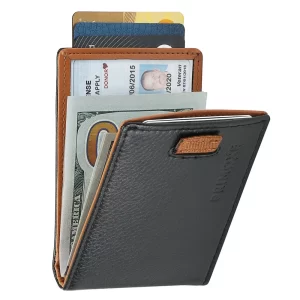
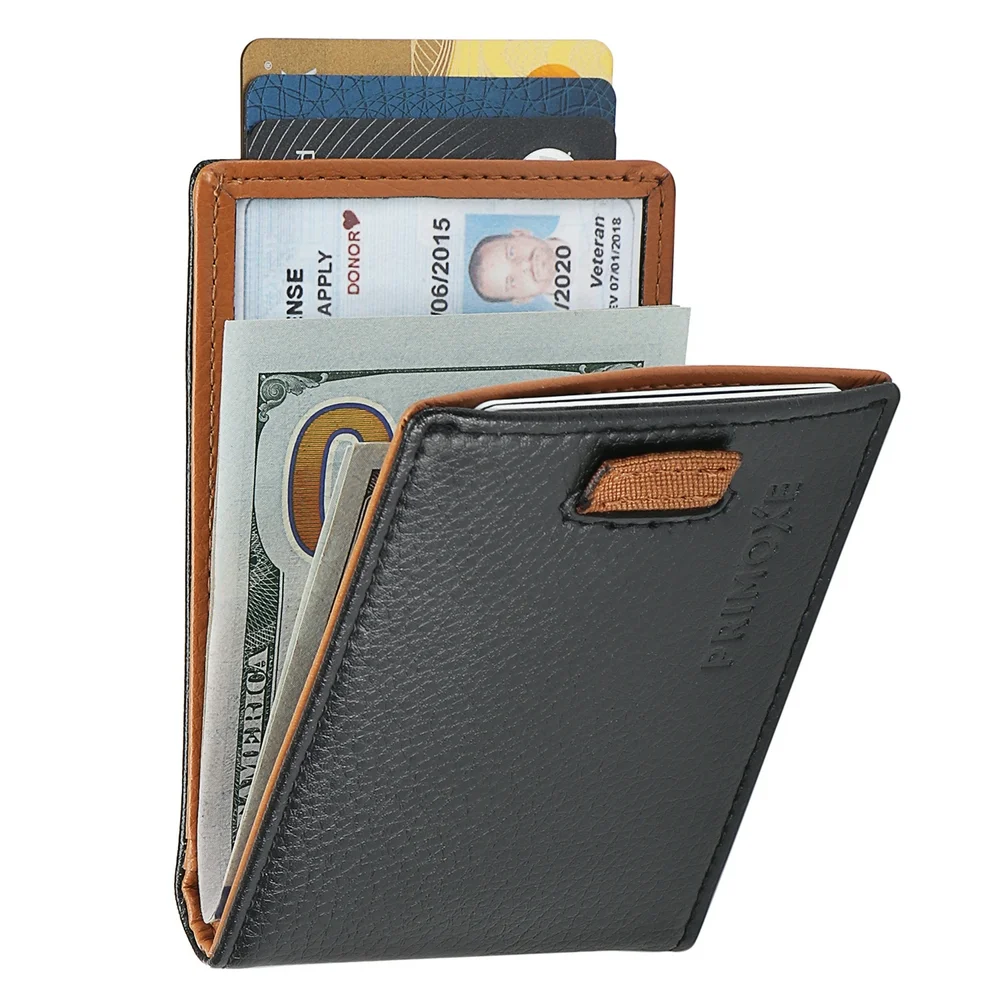
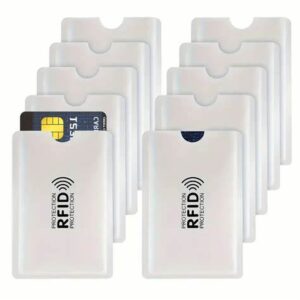
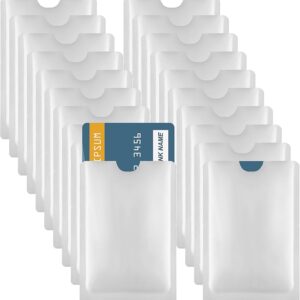
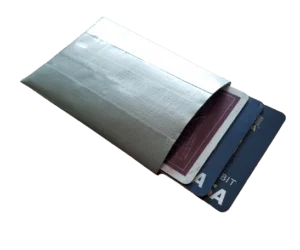
Mynds Global Manufacturing RFID Blocking card holder is a type of wallet or case designed to protect your contactless credit or debit cards from unauthorized scanning or data theft.
Mynds Global Manufacturing RFID Blocking card holder is a type of wallet or case designed to protect your contactless credit or debit cards from unauthorized scanning or data theft. These card holders typically use a technology called RFID (Radio Frequency Identification) blocking, which works by blocking the radio frequency signals used by RFID technology.
A typical RFID blocking card holder is a compact and lightweight device that can hold several cards at once. It is made of materials such as aluminum or leather, which are effective in blocking RFID signals. Some blocking card holders may also have additional features such as a snap closure, a zipper pocket, or a clear ID window for easy access.
Product Features
Mynds Global Manufacturing RFID blocking card holders come with a variety of features, depending on the brand and model. Here are some common features you may find in a blocking card holder.
RFID Blocking Technology: This is the main feature of a blocking card holder. It prevents unauthorized scanning or skimming of your contactless credit or debit cards by blocking the radio frequency signals used by RFID technology.
Multiple Card Slots: Most blocking card holders have multiple card slots, allowing you to store several cards at once. This is useful if you have multiple credit or debit cards that you use frequently.
Durable Material: The material used to make the blocking card holder is usually durable and long-lasting, such as aluminum or leather. This ensures that the holder will protect your cards for a long time.
Style Options: You can choose from a variety of styles and colors when it comes to blocking card holders. Some are plain and simple, while others have more elaborate designs or patterns.
Product Specification
📞 Contact Information
For pricing and orders, you can contact their distributor, Mindware, located in Dwarka, New Delhi:
Click here to send mail to us gm@indianbarcode.com
Full Specifications
Technical specifications for Mynds RFID Card Holder
Inner Body Material
Aluminium, synthetic materials
Product Type
RFID Blocking Card Holder
Support Card Size
ATM Card, Credit Card, Dabit card
Loading Style
Side
Number Of Card
4 Pice
Card Slote
Multiple card Slotes
Card printers — every major brand from one counter
Zebra, HID FARGO, Entrust Datacard and Evolis, with the ribbons, blank card stock and spares all four of them consume. A card printer is cheap to buy and expensive to feed, so the useful thing we do is size the machine to your actual annual volume rather than to the brochure — and then keep the consumables in stock so a badge issue never stops for want of a ribbon. Every one of these brands is repaired on our own bench in New Delhi.
Card printer brands we sell, stock and service
Brand owned by Zebra Technologies Corporation (United States) Zebra, ZXP are trademarks of Zebra Technologies Corporation (United States). The logo and the brand are the property of their respective owner. Mindware is an independent sales and service company — not the brand owner, and not affiliated with it.
HID FARGO
Brand owned by HID Global Corporation (United States) HID, FARGO, HDP, iON are trademarks of HID Global Corporation (United States). The logo and the brand are the property of their respective owner. Mindware is an independent sales and service company — not the brand owner, and not affiliated with it.
Brand owned by Entrust Corporation (United States) Entrust, Datacard, Sigma are trademarks of Entrust Corporation (United States). The logo and the brand are the property of their respective owner. Mindware is an independent sales and service company — not the brand owner, and not affiliated with it.
Evolis
Brand owned by Evolis SA (France) Evolis, Primacy, Zenius, Avansia, Badgy are trademarks of Evolis SA (France). The logo and the brand are the property of their respective owner. Mindware is an independent sales and service company — not the brand owner, and not affiliated with it.
Zebra card printers — The range most Indian ID programmes already run
Zebra builds the card printers most of India's ID programmes run on, and the ZC300 in particular is the machine we install more of than any other. The range runs from a small office badge printer to a retransfer machine for government credentials, and the field-upgradeable dual-sided module in the middle of it is why a school that starts single-sided is not buying a second printer three years later.
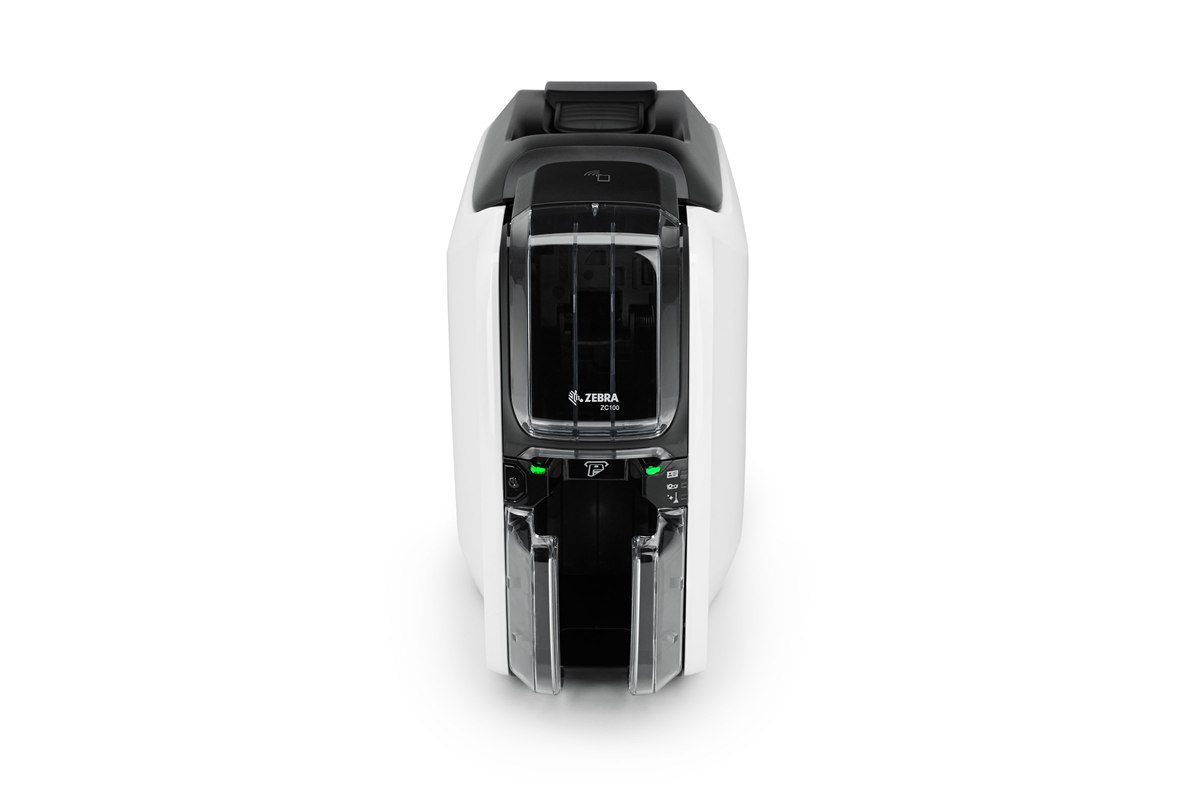
The right printer for a few hundred cards a year: a small office issuing staff badges, a clinic doing patient cards, a club doing memberships. Single-sided only and it cannot be upgraded to dual later, which is the one thing to be sure about before ordering — if the back of the card needs anything printed on it, buy the ZC300 instead.
Zebra ZC100 — sales, installation and in-house service from Mindware, New Delhi.
Specifications for the Zebra ZC100
Print method
Dye sublimation and thermal transfer, direct-to-card
Resolution
300 dpi
Sides
Single-sided only — not upgradeable
Colour speed
Up to 150 full-colour cards per hour
Mono speed
Up to 700 monochrome cards per hour
Connectivity
USB standard; Ethernet optional
Encoding
Magnetic stripe encoding optional
Card feeder
Auto-adjusts to card thickness
The volume seller
Zebra ZC300
ZC300
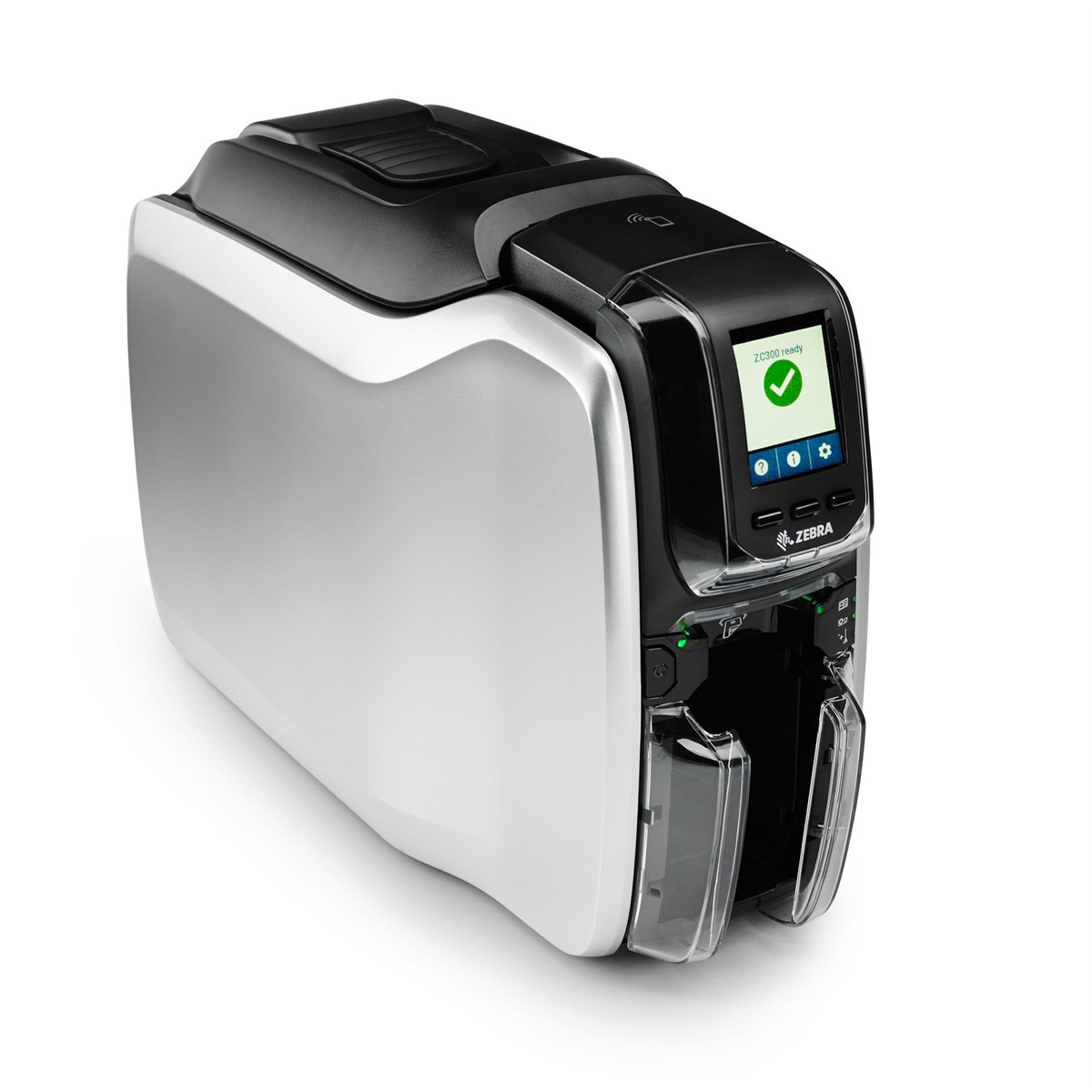
The card printer most Indian organisations end up on, and usually the correct answer. Three times the colour throughput of the ZC100, 100-card input and output hoppers so it runs a batch unattended, and a dual-sided flipper that can be fitted in the field later — so a school that starts single-sided in year one is not buying a second printer in year three.
Zebra ZC300 — sales, installation and in-house service from Mindware, New Delhi.
Specifications for the Zebra ZC300
Print method
Dye sublimation and thermal transfer, direct-to-card
Resolution
300 dpi
Sides
Single-sided, with a field-upgradeable dual-sided flipper module
Colour speed
Up to 300 full-colour cards per hour, single-sided
Mono speed
Up to 900 monochrome cards per hour, single-sided
Dual-sided speed
Up to 140 YMCKOK cards per hour; up to 450 monochrome per hour
Hoppers
100-card input and 100-card output
Connectivity
USB and Ethernet; wireless optional
Encoding
Magnetic stripe, contact and contactless smart card options
Security and specialty printing
Zebra ZC350
ZC350
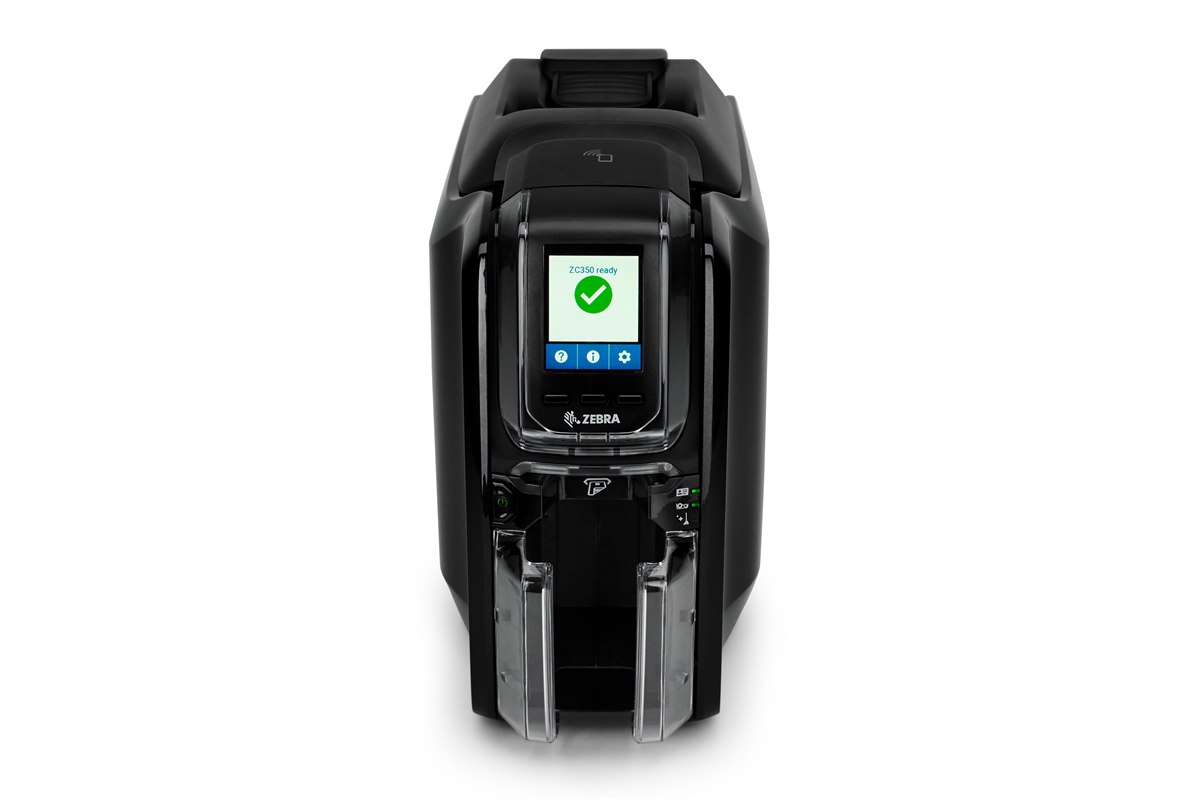
The ZC300 mechanism with access to Zebra's specialty ribbon range — colour-shifting graphics that change as the card is tilted, and watermarks that only appear under UV. If the card is a credential somebody has a reason to forge — a staff pass into a restricted area, a student ID that gets a fare concession — this is the printer that makes a copied one obvious at a glance.
Zebra ZC350 — sales, installation and in-house service from Mindware, New Delhi.
Specifications for the Zebra ZC350
Print method
Dye sublimation and thermal transfer, direct-to-card
Resolution
300 dpi
Sides
Single-sided, with a field-upgradeable dual-sided flipper module
Security
Specialty ribbons — colour-shifting graphics and UV-visible watermarks
Hoppers
100-card input and 100-card output
Connectivity
USB and Ethernet standard; wireless optional
High volume, with lamination
Zebra ZXP Series 7
ZXP Series 7
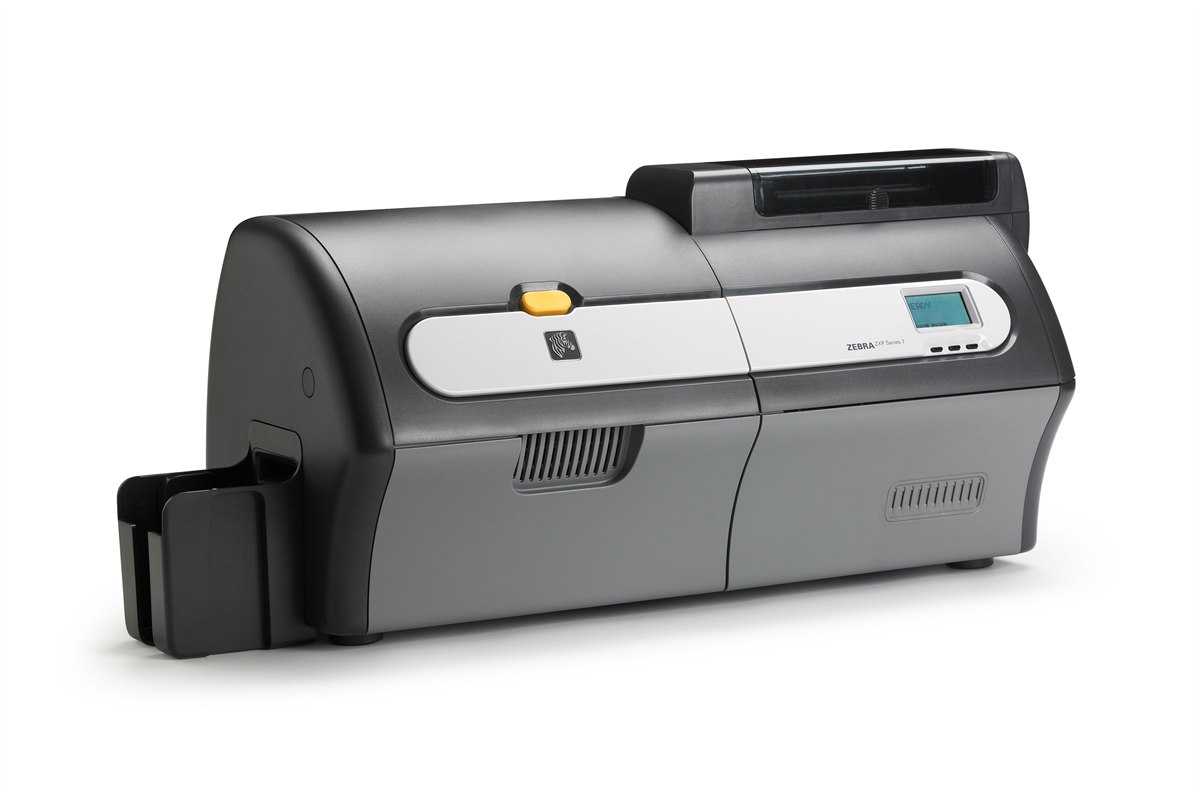
For an issuing bureau or a large institution running cards continuously. It processes up to three jobs at once — encoding one card, printing the next and laminating a third — which is what makes its throughput hold up over a long run rather than only on the spec sheet. Simultaneous dual-sided lamination is the reason to specify it: a laminated card survives a decade in a wallet.
Zebra ZXP Series 7 — sales, installation and in-house service from Mindware, New Delhi.
Specifications for the Zebra ZXP Series 7
Print method
Dye sublimation and thermal transfer, direct-to-card
Sides
Single or dual-sided
Lamination
Simultaneous dual-sided lamination
Throughput
Processes encoding, printing and laminating concurrently
Retransfer — photo quality, true edge-to-edge
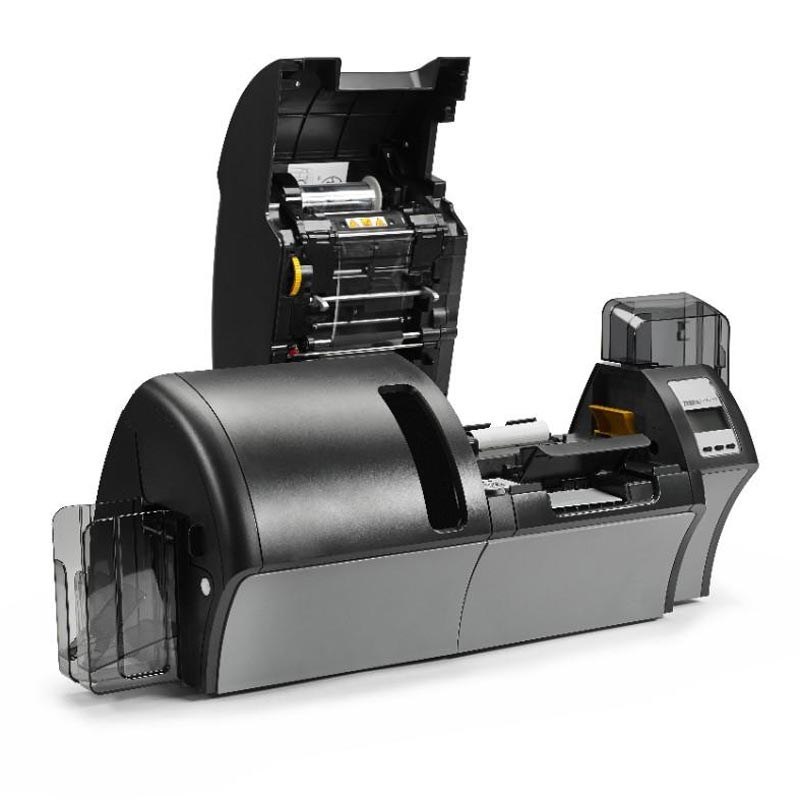
Zebra ZXP Series 9
ZXP Series 9
A retransfer printer, which is a different technology from everything above it: the image is printed onto film and the film is fused to the card, so it goes genuinely edge to edge with no white border, and it prints cleanly over the bumps of a contact smart card chip that would defeat a direct-to-card printer. 600 dpi is available. This is the machine for government, banking and high-security credentials.
Zebra ZXP Series 9 — sales, installation and in-house service from Mindware, New Delhi.
Specifications for the Zebra ZXP Series 9
Print method
Retransfer — image printed to film, then fused to the card
Resolution
300 dpi or 600 dpi
Edge to edge
True edge-to-edge printing with no white border
Throughput
Up to 190 cards per hour
Sides
Dual-sided simultaneous retransfer — no mechanical card flip
Connectivity
USB and Ethernet standard; wireless optional
Best for
Smart cards, uneven card surfaces and high-security credentials
HID FARGO card printers — What security integrators specify
FARGO is HID's card printer line, and HID is the company whose proximity and iCLASS credentials are already on the door in a great many Indian offices. That matters practically rather than as a brand story: if your access control is HID, a FARGO printer encodes those credentials natively instead of through a bolted-on module. The DTC range is direct-to-card; the HDP range is retransfer, and prints over a smart card chip without the dimple a direct-to-card machine leaves.
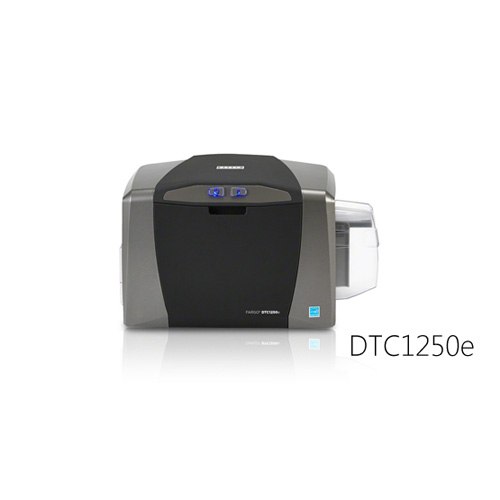
The FARGO to buy for a few hundred to a few thousand cards a year. Unusually for an entry machine it will print both sides, and the 100-card input hopper means a batch can be left to run. If your door readers are HID — and in a great many Indian offices they are — this is the printer that encodes those credentials without an adapter.
HID FARGO DTC1250e — sales, installation and in-house service from Mindware, New Delhi.
Specifications for the HID FARGO DTC1250e
Print method
Dye sublimation and resin thermal transfer, direct-to-card
Resolution
Up to 300 dpi
Sides
Single or dual-sided
Colour speed
Up to 225 full-colour cards per hour, single or dual-sided
Mono speed
6 seconds per card monochrome; 24 seconds per card in full colour with two black resin panels
Hoppers
100-card input, 30-card output
Card sizes
CR-80 and CR-79 adhesive-back; edge-to-edge printing
Connectivity
USB 2.0
Display
SmartScreen graphical display
Modular mid-range
HID FARGO DTC4250e
DTC4250e
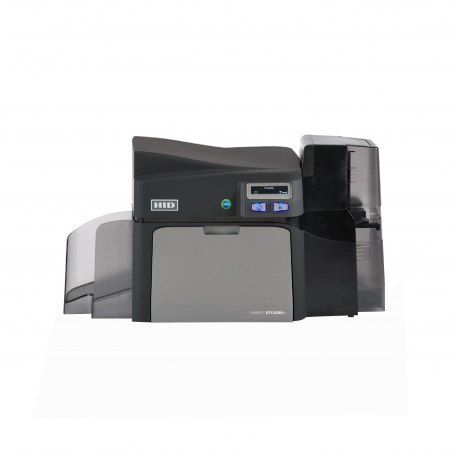
The volume machine of the DTC range, and modular rather than fixed — smart card encoders, locking card hoppers and other modules are added to the same base printer. The dual-input hopper is the practical difference from the DTC1250e: 200 cards in, and two card types loaded at once so an issuing desk is not swapping stock between jobs.
HID FARGO DTC4250e — sales, installation and in-house service from Mindware, New Delhi.
Specifications for the HID FARGO DTC4250e
Print method
Dye sublimation and resin thermal transfer, direct-to-card
Sides
Single or dual-sided
Colour speed
More than 200 single-sided or 100 dual-sided full-colour cards per hour
Optional smart card encoder, locking card hoppers and further add-on modules
Volume issuing, with lamination
HID FARGO DTC4500e
DTC4500e
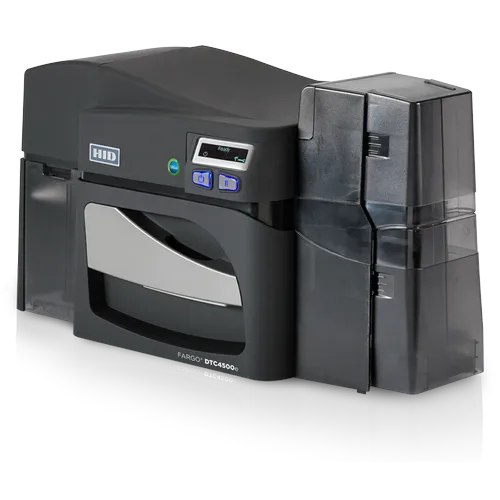
The DTC4250e with the two things a continuous issuing desk needs: high-capacity ribbons, so it prints roughly twice as many colour cards between reloads, and optional dual-sided lamination for cards that have to survive years of handling. The 100-card reject hopper is the detail that matters in a controlled process — a spoiled card is separated automatically instead of ending up back in the good stack.
HID FARGO DTC4500e — sales, installation and in-house service from Mindware, New Delhi.
Specifications for the HID FARGO DTC4500e
Print method
Dye sublimation and resin thermal transfer, direct-to-card
Sides
Dual-sided
Print speed
16 seconds per card in YMCKO; 6 seconds per card monochrome
High-capacity ribbons — roughly twice the colour cards per reload
Retransfer — smart cards and technology cards
HID FARGO HDP5000e
HDP5000e
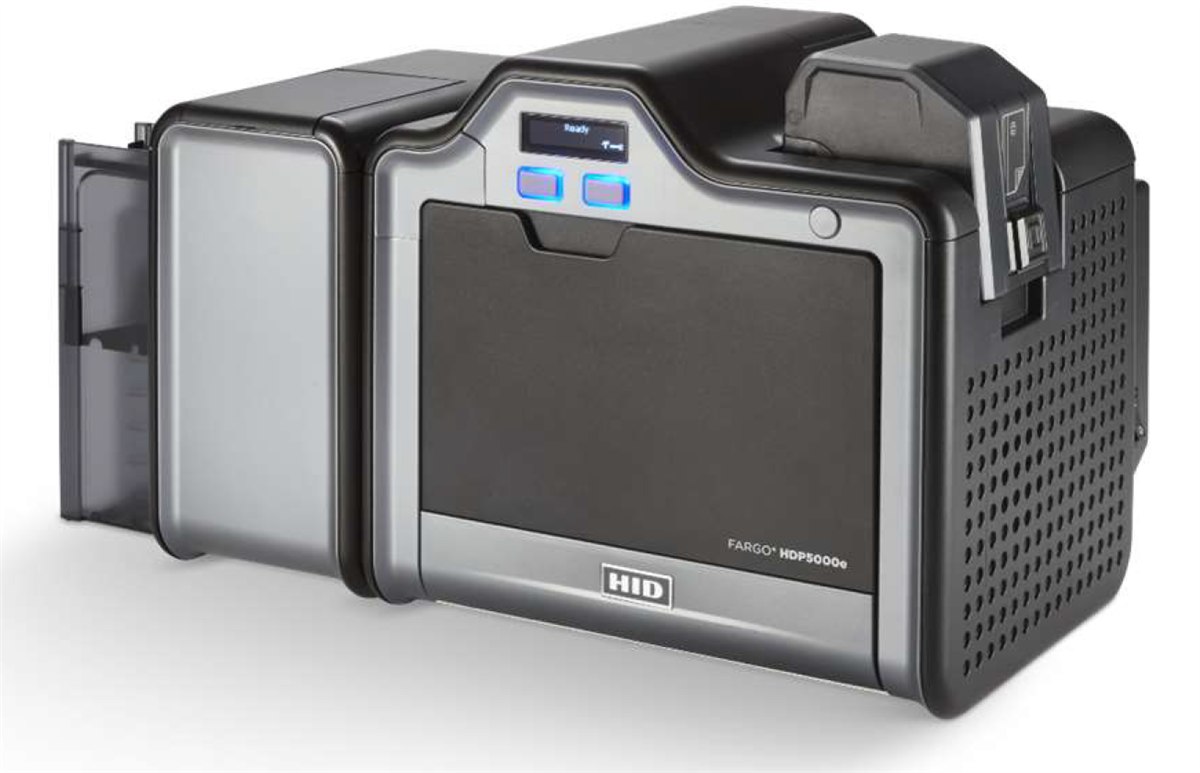
Retransfer, which is the technology to specify the moment the card has a contact chip in it. The image is printed onto a film and the film is fused to the card, so it goes over the raised chip and to the true edge — where a direct-to-card printer leaves a visible dimple and a white border. This is the FARGO for an access-control estate printing onto technology cards.
HID FARGO HDP5000e — sales, installation and in-house service from Mindware, New Delhi.
Specifications for the HID FARGO HDP5000e
Print method
HDP retransfer — dye sublimation and resin thermal transfer onto film, then fused to the card
Resolution
300 dpi (11.8 dots/mm)
Print speed
Up to 24 seconds per card — up to 150 cards per hour (YMC with transfer)
Sides
Single-sided, with an optional dual-sided module
Card material
CR-80 PVC, composite PVC, composite, PET, PETG or polycarbonate
Retransfer at enterprise speed
HID FARGO HDP6600
HDP6600
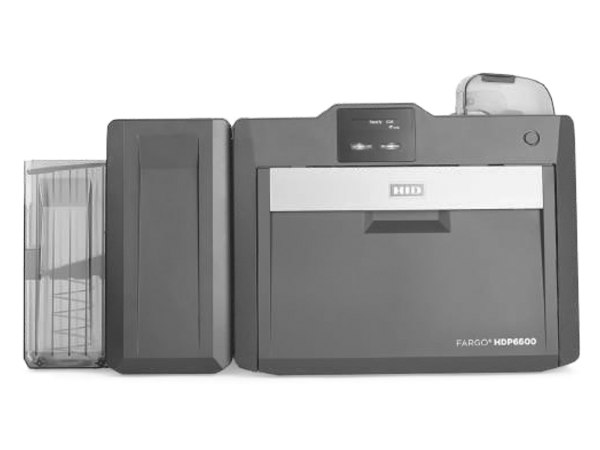
The fastest retransfer printer HID makes, at 600 dpi. The figure worth knowing is not the throughput but the warm-up: iON technology brings it to operating temperature in under a minute, where a retransfer machine has traditionally meant waiting several. For an issuing desk that prints in bursts through the day rather than in one long run, that is the difference between a printer somebody uses and one they leave switched off.
HID FARGO HDP6600 — sales, installation and in-house service from Mindware, New Delhi.
Specifications for the HID FARGO HDP6600
Print method
HDP retransfer — image printed to film, then fused to the card
Resolution
600 dpi
Print speed
Up to 230 cards per hour (YMCK with transfer)
Warm-up
iON technology — operating temperature in under 60 seconds
Entrust Datacard card printers — The bank and government issuing standard
Datacard is the name on most of the card issuance India's banks and large institutions have run for decades — the company is now Entrust, and the printers carry both names. This is the range specified where issuance is a controlled process rather than a task: locking hoppers, reject hoppers that keep a spoiled card out of the good stack, and multi-hoppers that hold several card types at once for an issuing desk that prints staff, visitor and contractor cards from one queue.
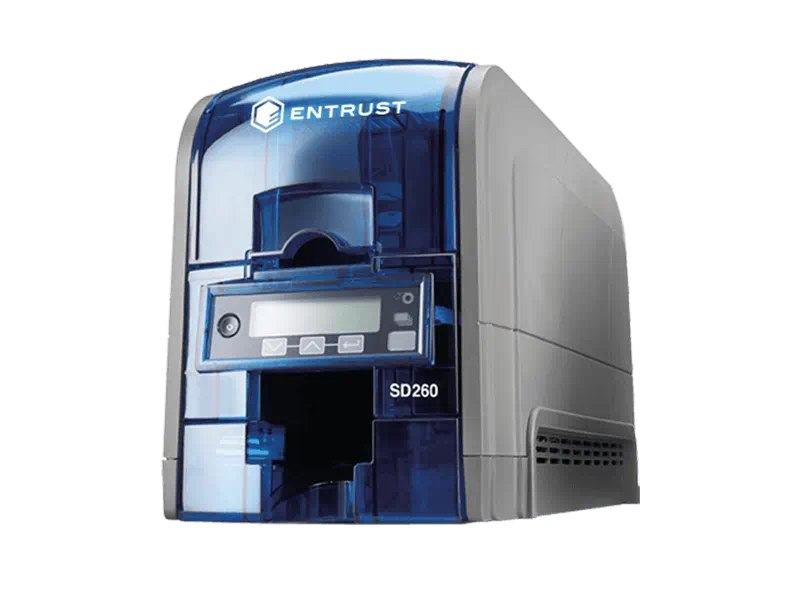
The Datacard most Indian institutions mean when they say "the Datacard" — a desktop direct-to-card printer built to be run every day by somebody who is not a printer operator. The monochrome throughput is the striking figure: over 800 cards an hour, which makes it the machine to put on a visitor desk that issues disposable passes all day.
Entrust Datacard SD260 — sales, installation and in-house service from Mindware, New Delhi.
Specifications for the Entrust Datacard SD260
Print method
Dye sublimation and resin thermal transfer, direct-to-card
Resolution
300 × 1200 dpi
Colour speed
Up to 200 cards per hour, single-sided colour
Mono speed
Up to 830 cards per hour monochrome
Feeder
Automatic feed hopper
Higher volume, multi-hopper capable
Entrust Datacard CD800
CD800
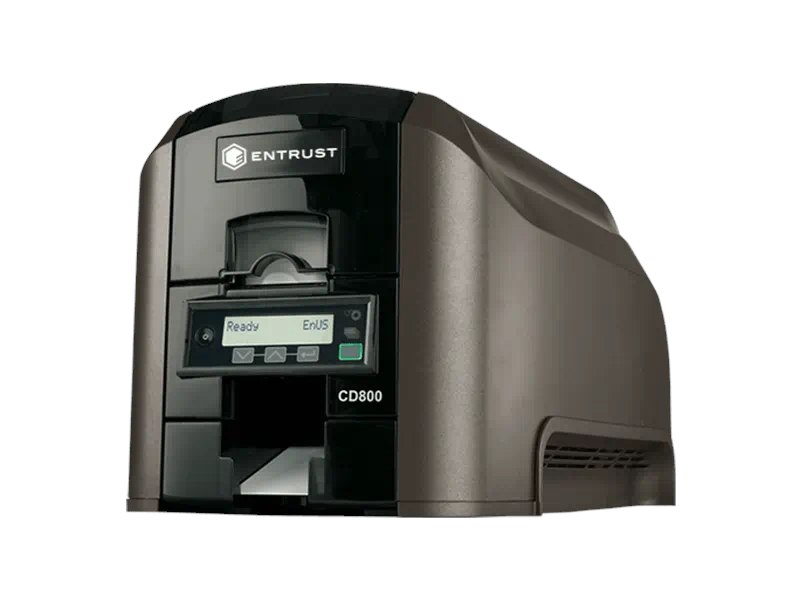
A step up from the SD260 in both speed and print quality, and the model to specify when one desk issues several kinds of card. The six-compartment multi-hopper is the reason: staff, visitor, contractor and replacement stock all loaded at once, with the printer pulling from the right compartment per job instead of somebody swapping cards between print runs.
Entrust Datacard CD800 — sales, installation and in-house service from Mindware, New Delhi.
Specifications for the Entrust Datacard CD800
Print method
Dye sublimation and resin thermal transfer, direct-to-card
Resolution
300 × 600 dpi high-quality mode; 300 × 1200 dpi for enhanced text and barcodes
Colour speed
Up to 220 cards per hour one-sided (YMCKT); up to 165 cards per hour two-sided (YMCKT-K)
Hoppers
Automatic feed, 100-card input at 0.76 mm; 25-card output standard
Multi-hopper
Optional six-compartment multi-hopper
Current generation — controlled issuance
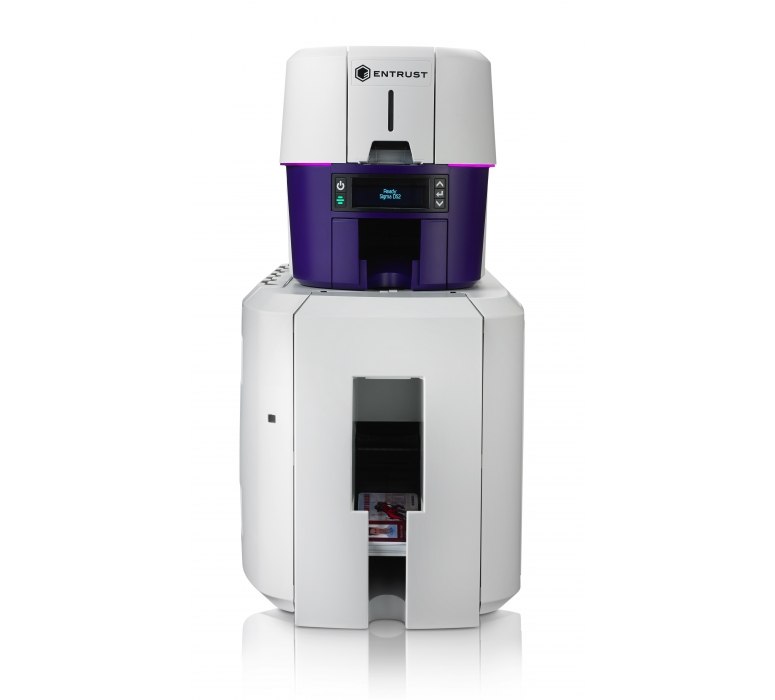
Entrust Sigma DS2
Sigma DS2
The current Sigma generation, and the one to quote where issuance is audited rather than merely done. Dual-sided colour, a reject hopper that separates spoiled cards automatically, and hopper options that take it to 200 cards in. If a card programme has a compliance requirement attached to it, this is the printer that satisfies the process side of it as well as the printing.
Entrust Sigma DS2 — sales, installation and in-house service from Mindware, New Delhi.
Specifications for the Entrust Sigma DS2
Print method
Dye sublimation, direct-to-card
Resolution
300 dpi — 300 × 600 and 300 × 1200
Sides
Single or dual-sided
Mono speed
Up to 880 single-sided cards per hour
Colour speed
Up to 225 cards per hour single-sided; up to 140 cards per hour dual-sided
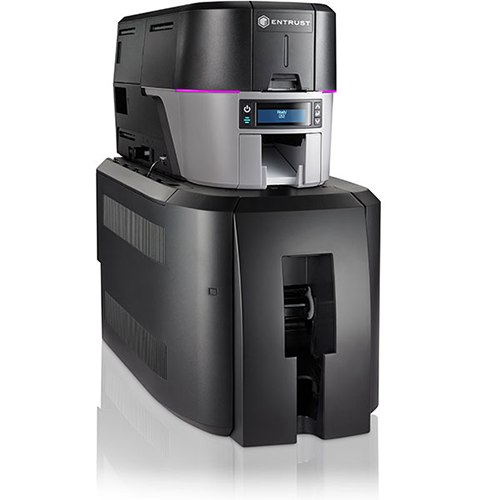
The DS2 mechanism behind a six-compartment multi-hopper — six 125-card hoppers, 750 cards loaded at once. This is a printer for a central issuing office running several card types continuously, where the constraint is not print speed but how often somebody has to walk over and reload it.
Entrust Sigma DS3 — sales, installation and in-house service from Mindware, New Delhi.
Specifications for the Entrust Sigma DS3
Print method
Dye sublimation, direct-to-card
Sides
Single or dual-sided
Multi-hopper
Six compartments of 125 cards — 750 cards total capacity
Evolis card printers — Three-year warranty as standard
Evolis is the French manufacturer, and the reason it wins tenders here is usually the warranty: three years on the printer as standard across the range, where most competitors ship one. The Primacy 2 is the direct rival to the ZC300 and the machine we quote against it most often; the Badgy200 is the genuinely small one, for an office that needs a few hundred cards a year and no more.
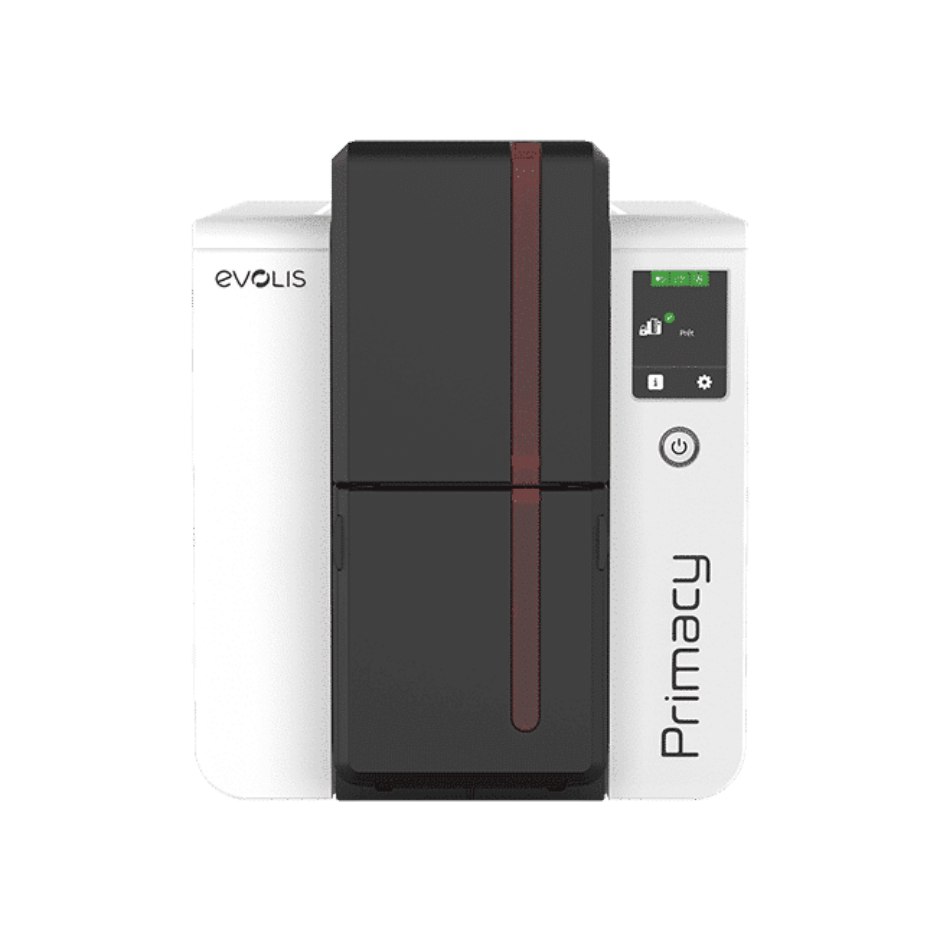
The direct rival to the Zebra ZC300, and the Evolis we quote against it most often. Faster on paper — 280 single-sided cards an hour — with a 100-card feeder as standard and a 200-card option, and three years of warranty in the box rather than one. The Kineclipse security feature and mechanical lock matter where the printer sits somewhere the public can reach.
Evolis Primacy 2 — sales, installation and in-house service from Mindware, New Delhi.
Specifications for the Evolis Primacy 2
Print method
Direct-to-card dye sublimation, resin thermal transfer and rewrite
Resolution
Customisable 300 × 600 dpi colour and monochrome, or 300 × 1200 dpi monochrome
Sides
Single or dual-sided, edge-to-edge
Colour speed
Up to 280 cards per hour single-sided; up to 170 cards per hour dual-sided
Magnetic stripe, contact and contactless smart card options
Security
Kineclipse security feature and mechanical locking system
Lamination
Optional Card Lamination Module (CLM)
Warranty
3 years standard
Single-sided desktop
Evolis Zenius 2
Zenius 2
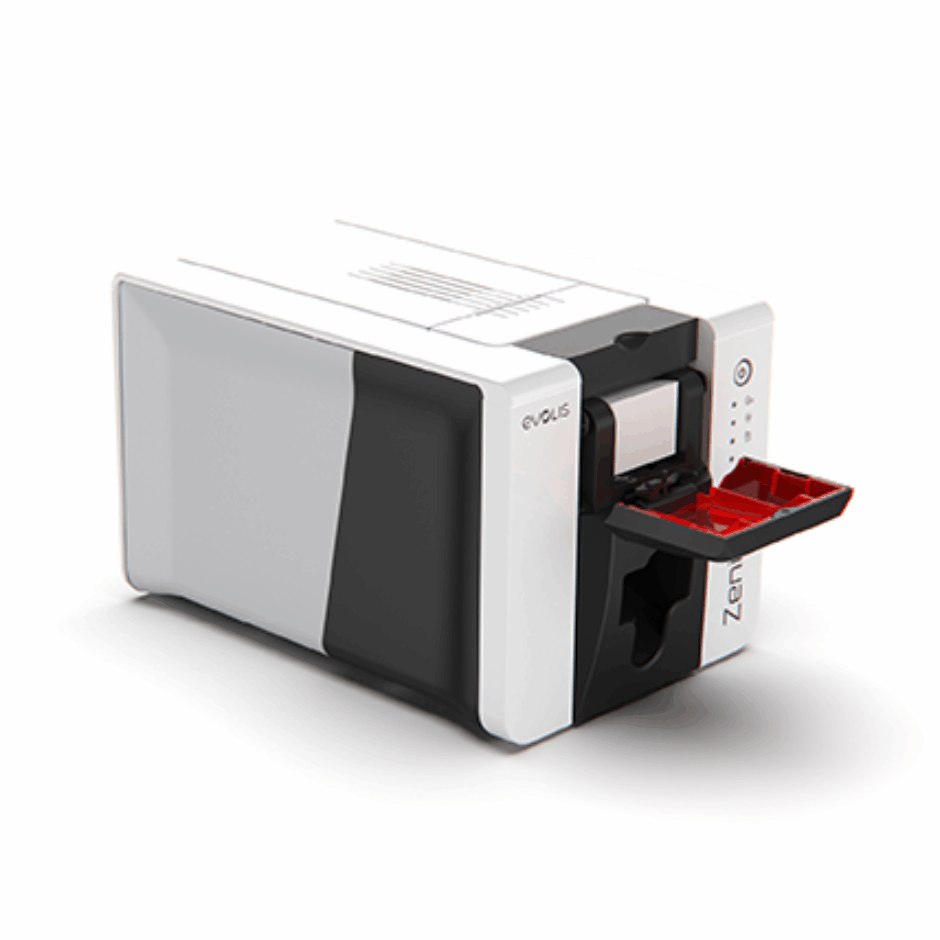
Single-sided only, and priced accordingly — the Evolis for an office issuing staff badges in small runs. It comes in two builds and the difference is worth understanding before ordering: the Classic is USB with no encoding, and the Expert adds Ethernet and the encoder options. A Classic cannot be turned into an Expert later.
Evolis Zenius 2 — sales, installation and in-house service from Mindware, New Delhi.
Specifications for the Evolis Zenius 2
Print method
Direct-to-card dye sublimation, resin thermal transfer and rewrite
Resolution
300 × 300 dpi standard; customisable to 300 × 600 dpi, or 300 × 1200 dpi monochrome
Sides
Single-sided, edge-to-edge
Colour speed
Up to 180 cards per hour
Mono speed
Up to 700 cards per hour
Feeder
50-card feeder; 25-card front output hopper, 50-card rear output hopper
Connectivity
USB (Classic); USB and Ethernet (Expert)
Encoding
Magnetic stripe, smart card, contactless or dual — Expert model only
Warranty
3 years
Retransfer — 600 dpi
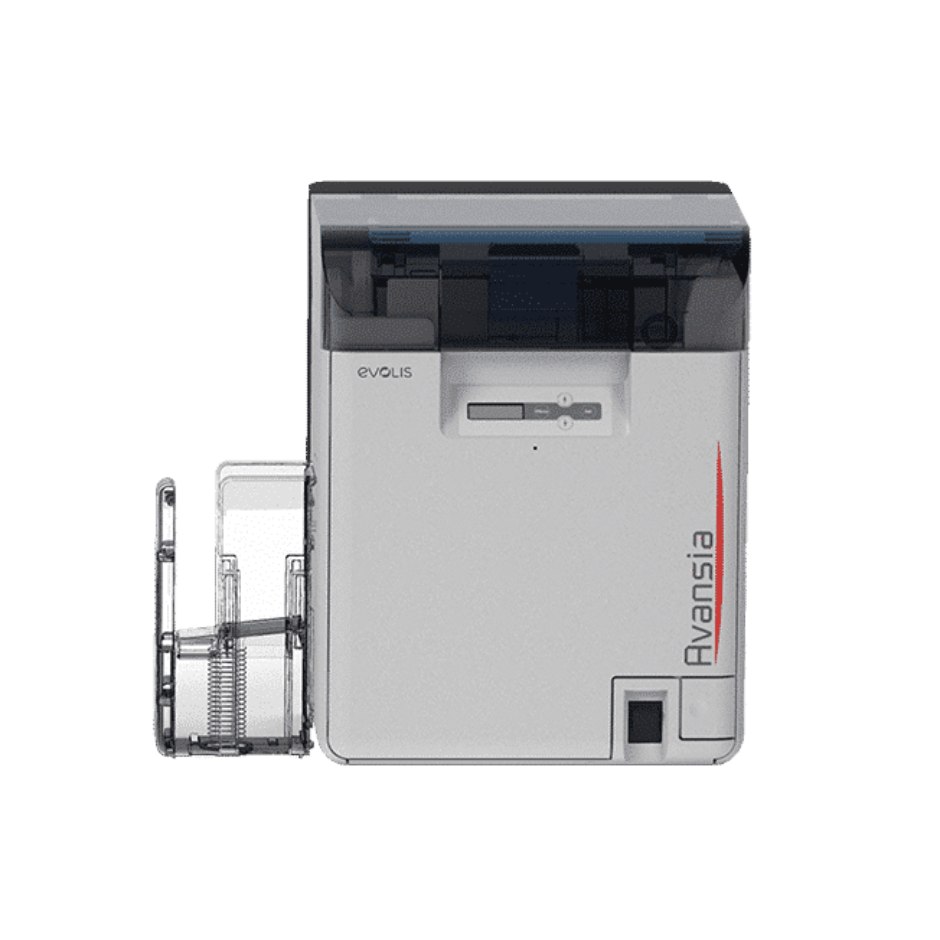
Evolis Avansia
Avansia
The Evolis retransfer machine, and the one with the specification that stands out on this page: a lifetime warranty on the print head. 600 dpi over the edge on any card material, dual-sided as standard, and 250 cards in and 250 out so it runs a long batch unattended. The built-in card flattener is not a footnote — retransfer film shrinks as it cools and warps a card without one.
Evolis Avansia — sales, installation and in-house service from Mindware, New Delhi.
Specifications for the Evolis Avansia
Print method
Retransfer — dye sublimation and resin thermal transfer, over the edge
Resolution
600 dpi print head
Sides
Dual-sided
Print speed
144 cards per hour single-sided; 96 cards per hour dual-sided
Hoppers
250-card feeder and 250-card output hopper
Card material
All card types — PVC, PET, polycarbonate and ABS; built-in card flattener
Connectivity
USB and Ethernet
Encoding
Magnetic stripe, contact and contactless smart card, combinable
Warranty
3 years, and a lifetime warranty on the print head
The genuinely small one
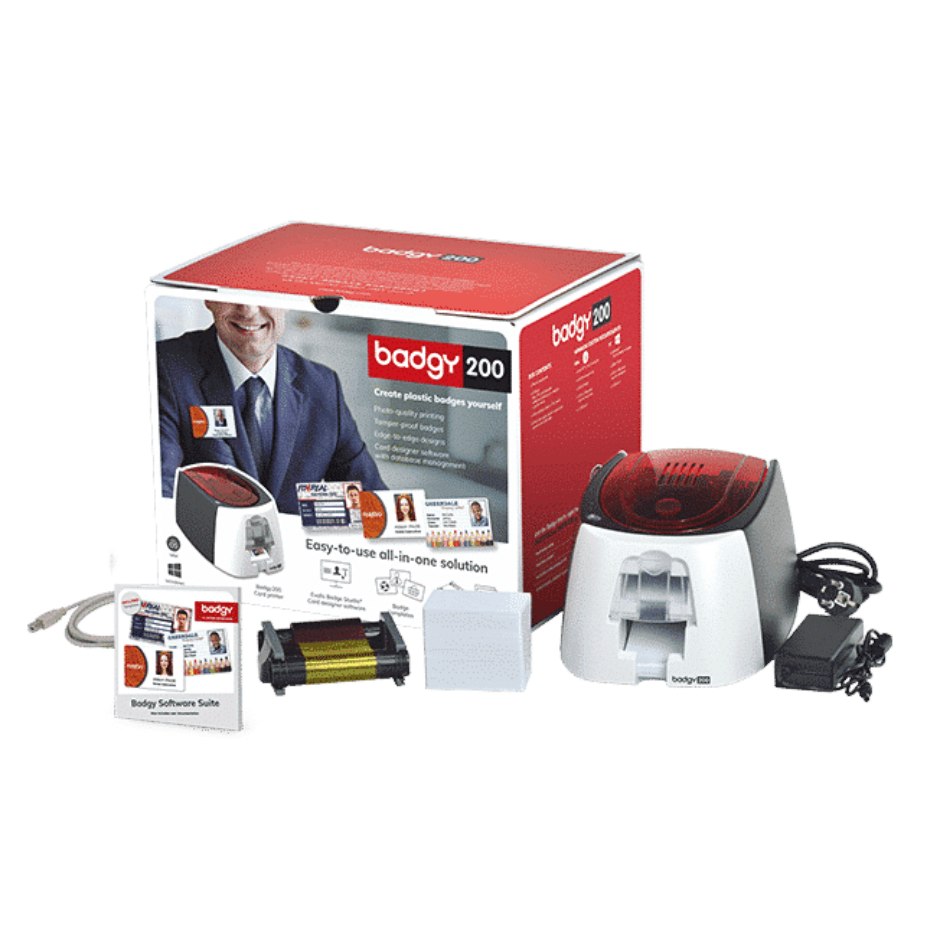
Evolis Badgy200
Badgy200
Smaller than an A4 sheet and 1.7 kg, which makes it the only printer here you can put in a drawer. It is the honest answer for an office that needs a few hundred cards a year and has been quoted a machine ten times the size — it prints both sides and comes with card design software, and if your volume grows past it the Zenius 2 is the step up.
Evolis Badgy200 — sales, installation and in-house service from Mindware, New Delhi.
Specifications for the Evolis Badgy200
Print method
Direct-to-card dye sublimation and resin thermal transfer
Resolution
Customisable 260 × 300 dpi
Sides
Single or dual-sided, edge-to-edge
Colour speed
38 seconds per card — 95 cards per hour (YMCKO)
Mono speed
11 seconds per card — 325 cards per hour
Feeder
25 cards at 0.76 mm, or 40 cards at 0.50 mm
Card thickness
0.50 mm (20 mil) to 0.76 mm (30 mil)
Connectivity
USB 2.0, cable supplied
Weight
1.7 kg
Software
Supplied with Evolis Badge Studio
Warranty
2 years, printer and print head
Which card printer do you actually need?
Three questions decide it, and the brochure answers none of them. How many cards a year? Is anything printed on the back? And does the card have to survive years in a wallet, or a weekend on a lanyard?
Choosing a card printer by volume and requirement
Your situation
The printer
Why
A few hundred cards a year, desk space is tight
Evolis Badgy200, or Zebra ZC100
The Badgy200 prints both sides and fits in a drawer. The ZC100 is single-sided only and cannot be upgraded — be certain about the back of the card before choosing it.
A few thousand a year, or the back is printed
Zebra ZC300, Evolis Primacy 2, or FARGO DTC1250e
The three we quote against each other most often. The ZC300 takes a dual-sided flipper later; the Primacy 2 is faster and carries three years of warranty; the DTC1250e is the one to pick if your door readers are HID.
One desk issuing several different card types
Entrust CD800 or Sigma DS3
The six-compartment multi-hopper. Staff, visitor and contractor stock loaded at once, with the printer pulling from the right compartment instead of somebody swapping cards between runs.
Issuance has to be auditable
Entrust Sigma DS2, or FARGO DTC4500e
Reject hoppers that separate a spoiled card automatically, and locking hoppers so blank stock is controlled. The process matters as much as the print.
The card is a credential worth forging
Zebra ZC350
Colour-shifting and UV security ribbons make a photocopied card obvious without a reader.
Continuous issuing, cards must last a decade
Zebra ZXP Series 7, or FARGO DTC4500e
Lamination. The ZXP Series 7 laminates both sides simultaneously and processes three jobs at once, so throughput holds over a long run.
Smart cards, edge-to-edge, or government-grade
Zebra ZXP Series 9, Evolis Avansia, or FARGO HDP6600
Retransfer — it prints over a contact chip and to the true edge, at 600 dpi. The Avansia carries a lifetime print head warranty; the HDP6600 warms up in under a minute.
Employee ID and access badges
Photo, name, department, barcode or QR, and an encoded stripe or chip for the door. A ZC300 with YMCKOK covers almost every corporate ID programme in the country.
Schools, colleges and universities
A thousand student cards in a fortnight every July, then nothing until next July. Buy for the peak: 100-card hoppers and dual-sided printing are what turn that fortnight into two afternoons.
Hospitals and clinics
Staff credentials, patient cards and visitor passes from one machine — a monochrome ribbon for the disposable visitor passes and colour for the staff badges, on the same printer.
Membership and loyalty
Gyms, clubs, libraries and retail loyalty schemes. Printing in-house means a new member walks out with the card in their hand instead of waiting a fortnight for a print run.
Government and high-security credentials
Retransfer printing on composite card with lamination and UV or colour-shifting security features — the ZXP Series 9, and the reason it exists.
Events, conferences and visitors
High volume, short life, cost per card is everything. Monochrome ribbon on 20 mil card, printed on the day at the registration desk.
Tell us how many cards a year, whether the back is printed, and whether anything is encoded — magnetic stripe, contact chip or contactless. Those three answers pick the printer, and they also tell us which ribbon and which card stock to quote alongside it, which is where the real running cost sits.
Mynds RFID blocking material — made in New Delhi
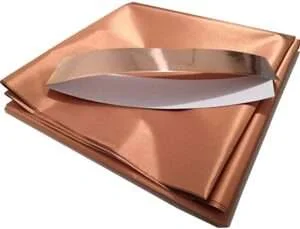
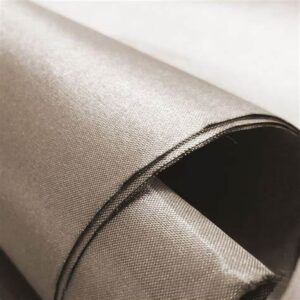
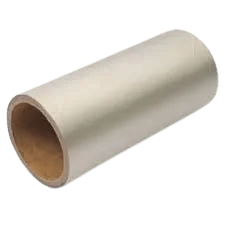
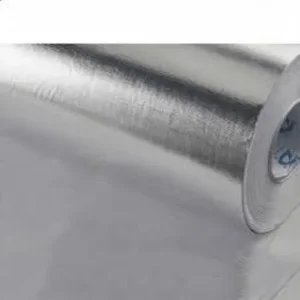
We believe it is the best RFID blocking material in the world, and we would rather prove that than assert it: tell us the frequency you need stopped — 13.56 MHz for contactless cards and passports, UHF for logistics tags — and we will send a sample to test against your own reader before you buy a metre of it. If it does not kill the read, do not buy it.
It is worth being precise about what this product is, because it is the opposite of the one above it. An RFID label exists to be read. Blocking material exists to stop one being read — a shielding layer that absorbs and reflects the reader's field so the tag inside never receives enough energy to answer.
Card sleeves and wallet lining
Lining material for RFID-blocking wallets, card holders and passport covers — the volume application, and the one where hand-feel and fold endurance matter as much as the shielding itself.
Badge and access-card holders
Stops an access credential being read out of a pocket. Organisations that issue contactless door cards increasingly issue the shielded holder alongside them, because a card that can be read at a distance can be cloned at a distance.
Anti-collision layers in tag production
Used between stacked RFID inlays so tags on a roll can be encoded individually without the reader writing to the neighbouring tag — the practical problem that ruins an encoding run.
Shielded pouches for logistics and retail
Faraday pouches for moving tagged goods past a reader gate without triggering it, and for retail security testing.
Passports and identity documents
Sleeve stock for e-passport and biometric ID covers, cut and finished to the document size you specify.
Converted to your specification
Supplied on rolls, in sheets, or die-cut and finished to a shape — with adhesive backing if it has to be laminated into somebody else's product on their own line.
Which frequency do you actually need stopped?
This is the question that decides everything, and most enquiries arrive without an answer to it. Shielding that stops a contactless card does not necessarily stop a warehouse tag — they work at different frequencies, and material is chosen against the frequency rather than against the word "RFID".
Choosing blocking material by frequency
What you are shielding
Frequency
What to ask us for
Debit and credit cards, metro cards
13.56 MHz
Wallet and sleeve grade — thin and foldable, because it has to live in a wallet without cracking along the fold.
E-passports and biometric ID
13.56 MHz
Cover stock, cut to the document size. Usually laminated between the outer material and the lining.
Access control and door cards
125 kHz or 13.56 MHz
Badge-holder grade. Tell us the card type — an older 125 kHz proximity card and a MIFARE card are not the same shielding problem.
Logistics and retail tags
UHF, 865–867 MHz in India
Pouch and liner grade. UHF travels much further than the card frequencies, so a pouch has to close properly rather than merely cover.
Separating tags during encoding
Whatever the inlay uses
Anti-collision interleaf, supplied on the roll to match your inlay pitch.
How it is supplied
On the roll in the width you specify, in cut sheets, or die-cut and finished to a shape with adhesive backing where it has to be laminated into somebody else's product on their own line. Minimum quantities are low because we convert it here rather than importing it finished — a first order of a few hundred metres is normal, and samples are free.
Because we make the RFID tags as well as the material that blocks them, we can test both ends of the problem in the same room — which is how you find out whether a shielding claim is real rather than taking somebody's word for it.
India's biggest barcode and RFID solutions provider — more than 36 years of experience, 500,000+ customers and 50,000+ printers under maintenance contract. Zebra, TSC, Godex and Citizen each build printers; we are independent of all of them, so we recommend the printer that fits your job, manufacture the labels and ribbons it runs on, and keep it working afterwards.
Our own service centre
We are an independent service centre for TSC and Zebra printers — installation, repair, printhead replacement and calibration handled in-house. You are not routed to a third party when something goes wrong.
50,000+ printers under maintenance
Annual maintenance contracts covering preventive servicing and priority support, so a failed printer does not stop your despatch line.
Labels and ribbons we make ourselves
We manufacture thermal transfer ribbons and label stock, tested on these printers before it ships — wax, wax/resin and resin ribbons, paper, polyester and synthetic labels, matched to your printer and application.
29 years, since 1997
Supplying barcode printing hardware since 1997 to more than 500,000 customers across India. Buying from Mindware means the printer, the consumables and the people who fix it all come from one place.
Service and support: what is free and what is charged
Bought from Mindware — support and service free of cost
Buy the printer here and we take responsibility for keeping it working. Installation, configuration, fault diagnosis and warranty repair are handled by our own engineers at no charge, backed by the principal — the manufacturer. You raise it with us; we deal with the manufacturer.
Bought elsewhere — paid service
We service printers bought from any other source too, as chargeable work through the TSC Printers Paid Service Centre, run by Mindware — diagnosis, repair, printhead replacement and calibration, quoted before we start. An annual maintenance contract usually costs less than call-outs if the machine sits on a production line.
Printer not working? For paid service, send us the problem on WhatsApp.
Send a photo of the print quality or the error on screen, the make and model, and what changed just before it started. That is usually enough for our engineers to tell you whether it is a setting, a consumable or a fault — before anyone books a visit.
No reply from either? Escalate on WhatsApp to +91 98108 22688.
What free support depends on.
Free service is provided with the backing of the principal. Where the manufacturer declines a claim — physical or liquid damage, repairs attempted elsewhere, or a printer outside its warranty period — we cannot carry that cost ourselves, and the work becomes chargeable. We will tell you before any work starts and quote it first, so nothing is a surprise.
Closed Sundays, national holidays and Hindu festival holidays. No calls or support are taken on those days.
Print heads, labels and ribbons are on the shelf — most repairs are looked at the day they arrive.
Remote printer support — anywhere in the world
Most barcode printer faults are settings, not hardware, and settings can be fixed down a wire. We take over the machine with AnyDesk, or walk you through it on a video call, and in most cases the printer is printing again before the call ends. India or overseas — a printer in Dubai, Lagos or Colombo is the same job as one in Dwarka.
We also ship labels and ribbons worldwide, cut to your size, core and width — which is the other half of what we do all day.
And if your system can only send a file, we make PRN files to order — your label written in the language the printer itself reads, for TSC, Zebra, Godex, Citizen, SATO, Toshiba and more. A paid job, quoted before we start.
Remote support₹1,200 + 18% GSTin India, per sessionUS$12 + 18% GSToutside India, per session
Trained by TSC& Printronix in Taiwan for service and repair — our own in-house service centre
36+ yearsof experience in barcode sales and service
Brands we supply, stock and service
This logo is proprietary to its respective principal.
This logo is proprietary to its respective principal.
This logo is proprietary to its respective principal.
Newland
This logo is proprietary to its respective principal.
This logo is proprietary to its respective principal.
Godex
This logo is proprietary to its respective principal.
This logo is proprietary to its respective principal.
This logo is proprietary to its respective principal.
This logo is proprietary to its respective principal.
This logo is proprietary to its respective principal.
This logo is proprietary to its respective principal.
HPRT
This logo is proprietary to its respective principal.
This logo is proprietary to its respective principal.
This logo is proprietary to its respective principal.
Dcode
This logo is proprietary to its respective principal.
This logo is proprietary to its respective principal.
Evolis
This logo is proprietary to its respective principal.
HID FARGO
This logo is proprietary to its respective principal.
This logo is proprietary to its respective principal.
MAX Letatwin
This logo is proprietary to its respective principal.
This logo is proprietary to its respective principal.
This logo is proprietary to its respective principal.
This logo is proprietary to its respective principal.
BarTender
This logo is proprietary to its respective principal.
NiceLabel
This logo is proprietary to its respective principal.
This logo is proprietary to its respective principal.
Casio
This logo is proprietary to its respective principal.
This logo is proprietary to its respective principal.
This logo is proprietary to its respective principal.
This logo is proprietary to its respective principal.
This logo is proprietary to its respective principal.
3M
This logo is proprietary to its respective principal.
All brand names and logos shown are the property of their respective owners. They appear here only to identify the products Mindware sells, supplies consumables for and repairs, and do not imply any endorsement.